Maintenance in Odoo: equipment, requests, preventive plans
Set up maintenance in Odoo: register a machine, handle a breakdown from request to repair, and plan preventive checks that repeat by themselves. Community and Enterprise.
- Community and Enterprise
- 4 min read
- Odoo + AI tutorial
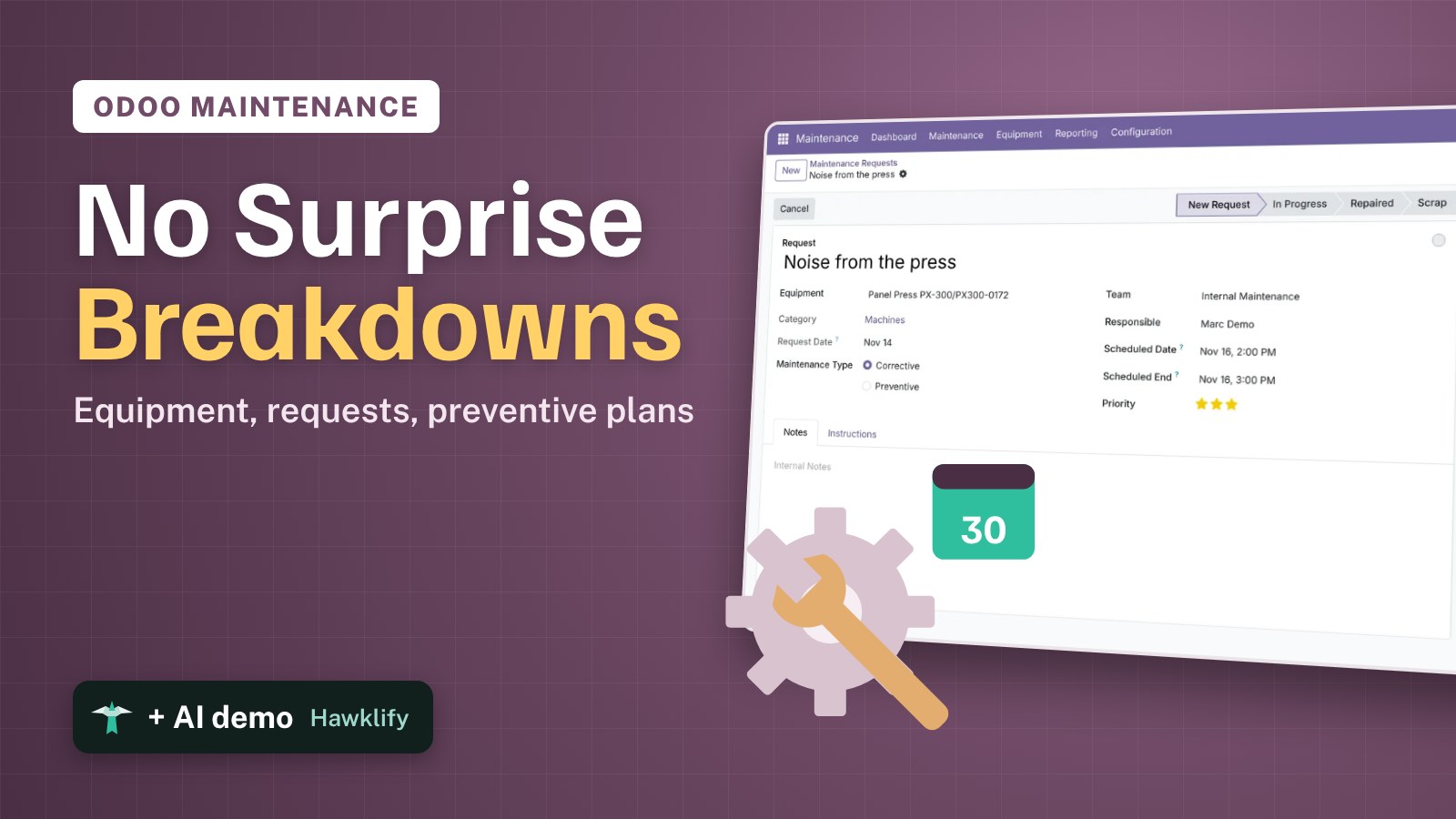
A machine that breaks twice is a sign. A machine that breaks four times, with nobody noticing it was the same noise each time, is a cost. Odoo Maintenance keeps every machine as equipment, every breakdown as a request that moves from new to repaired, and every regular check as a preventive request that comes back on its own. This guide registers a press, handles its breakdown, and plans a check every 30 days.
It works the same in Community and Enterprise. The versions we tested are listed at the end.
This guide is also an AI tutorial. At the end, an AI assistant connected to Odoo plans a repair from a photo of a machine's nameplate taken on the shop floor, and finds the machines that break most and sets preventive checks on them.See it in action ↓Before you start
- The Maintenance app installed.
- A maintenance team (the demo data has Internal Maintenance) and the technicians as Odoo users.
1. Register the machine
Open Maintenance → Equipment and press New.
- Type the name, here Panel Press PX-300.
- In Equipment Category, type Machines and choose Create: the category is made right from the field.
- On the Product Information tab, type the Serial Number, here PX300-0172.
- Choose the Maintenance Team and the Technician.
Press Save.
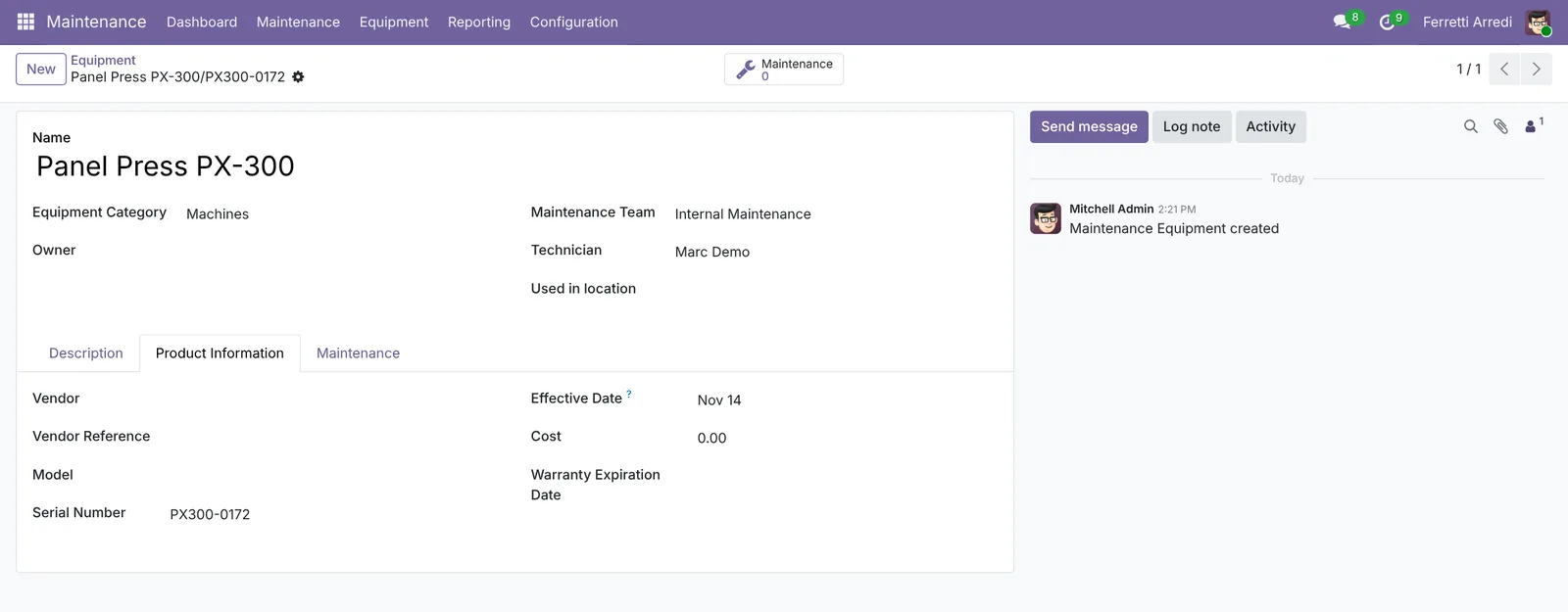 One record per machine, with its serial number.
2. Report a breakdown
Open Maintenance → Maintenance Requests and press New. Say what is wrong (Noise from the press) and pick the Equipment: the team and the technician come from it. Set the Priority with the stars and the Scheduled Date, when the technician comes. Press Save.
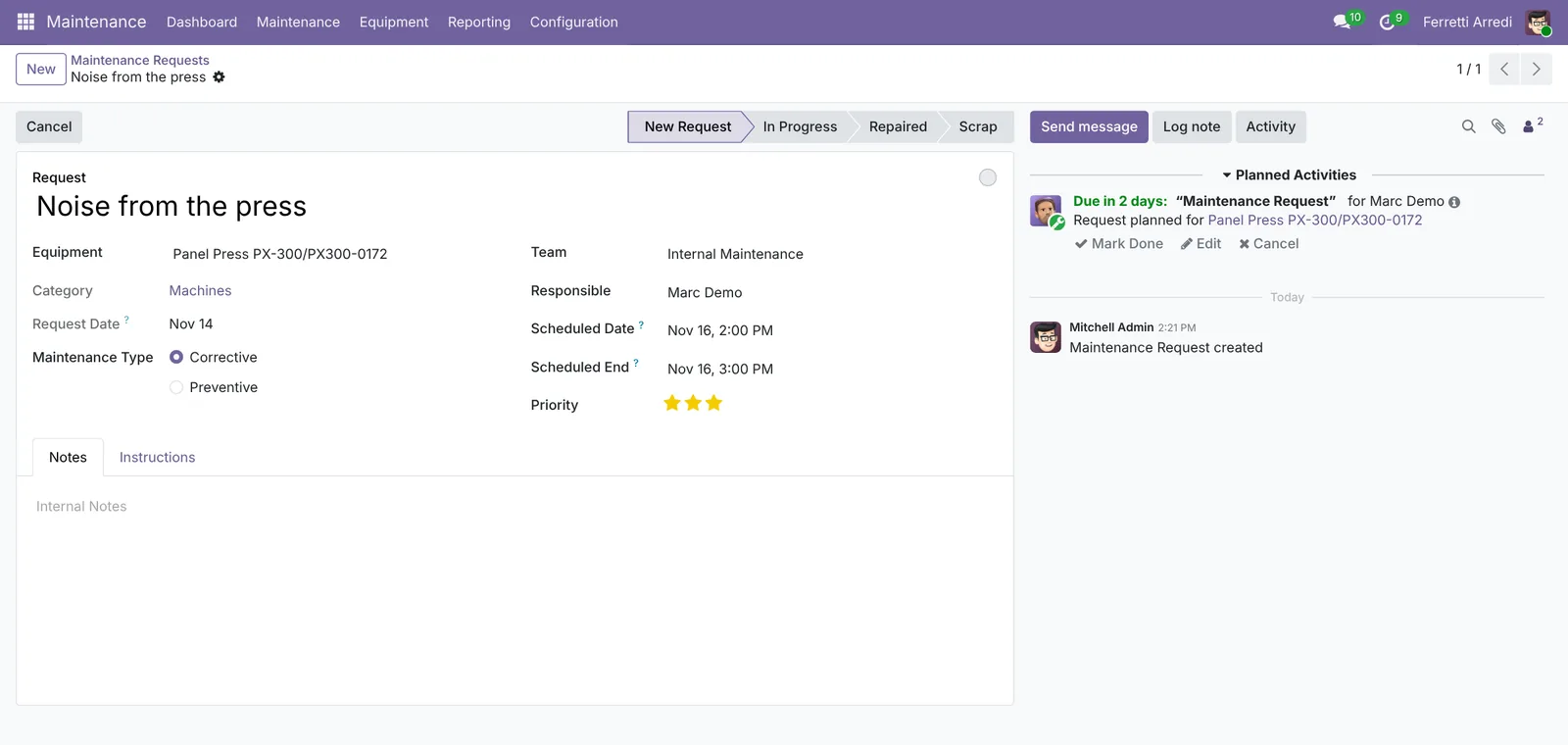 Corrective, three stars, planned for Monday at 2 PM.
3. Follow it to the repair
The status bar shows the stages: New Request, In Progress, Repaired. When the technician starts, click In Progress. When it is fixed, click Repaired. The chatter keeps every change, with the date and who made it. The team sees the same requests as cards in Maintenance → Maintenance Requests, one column per stage.
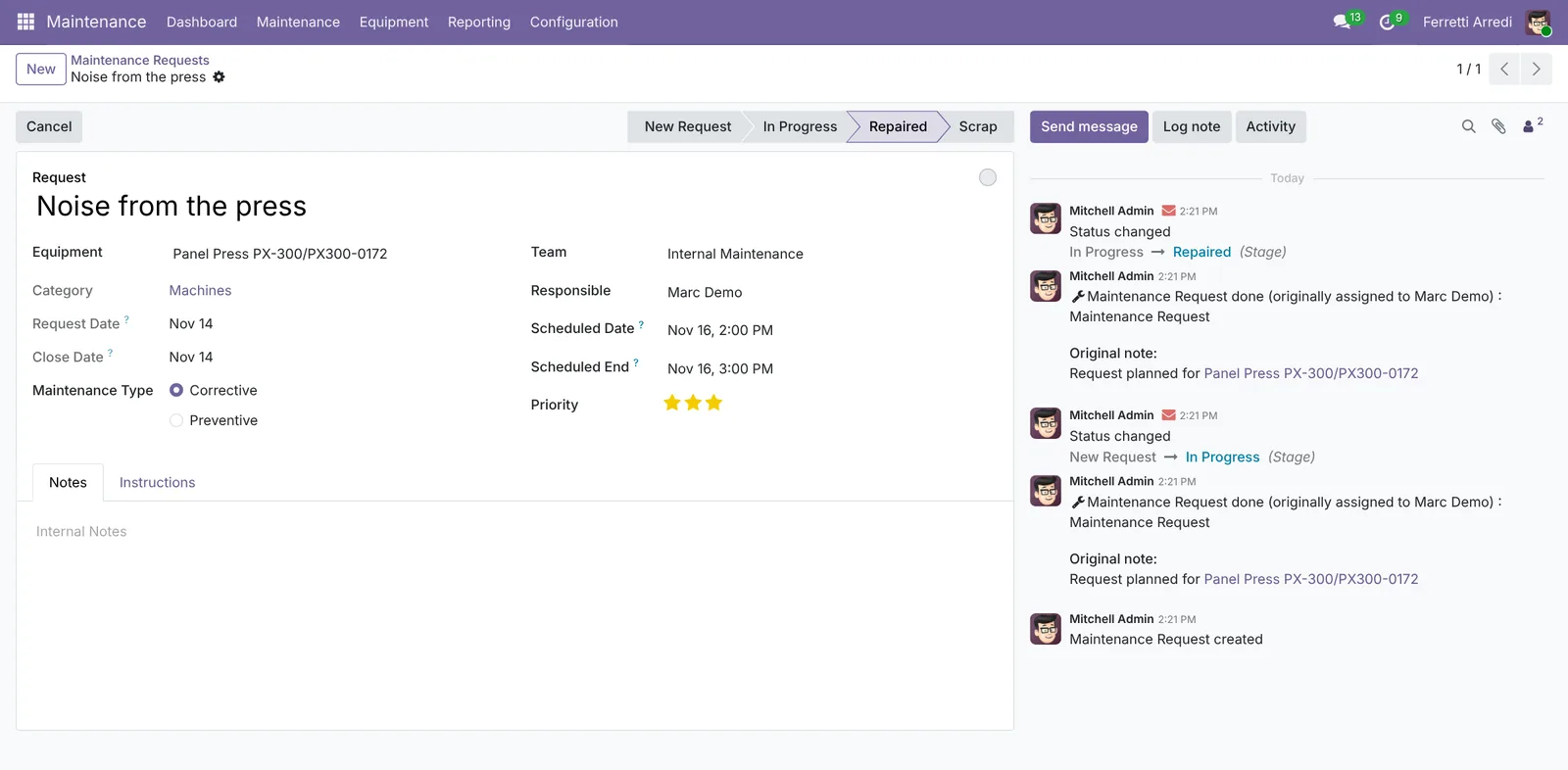 Repaired, with its history.
4. Plan preventive maintenance
To avoid the next breakdown, plan a check before it happens. Create a new request for the same machine (here Bearing check) and:
- Set Maintenance Type to Preventive.
- Tick Recurrent.
- Repeat Every: 30 Days, Forever.
Press Save. When this request is done, Odoo creates the next one 30 days later, by itself.
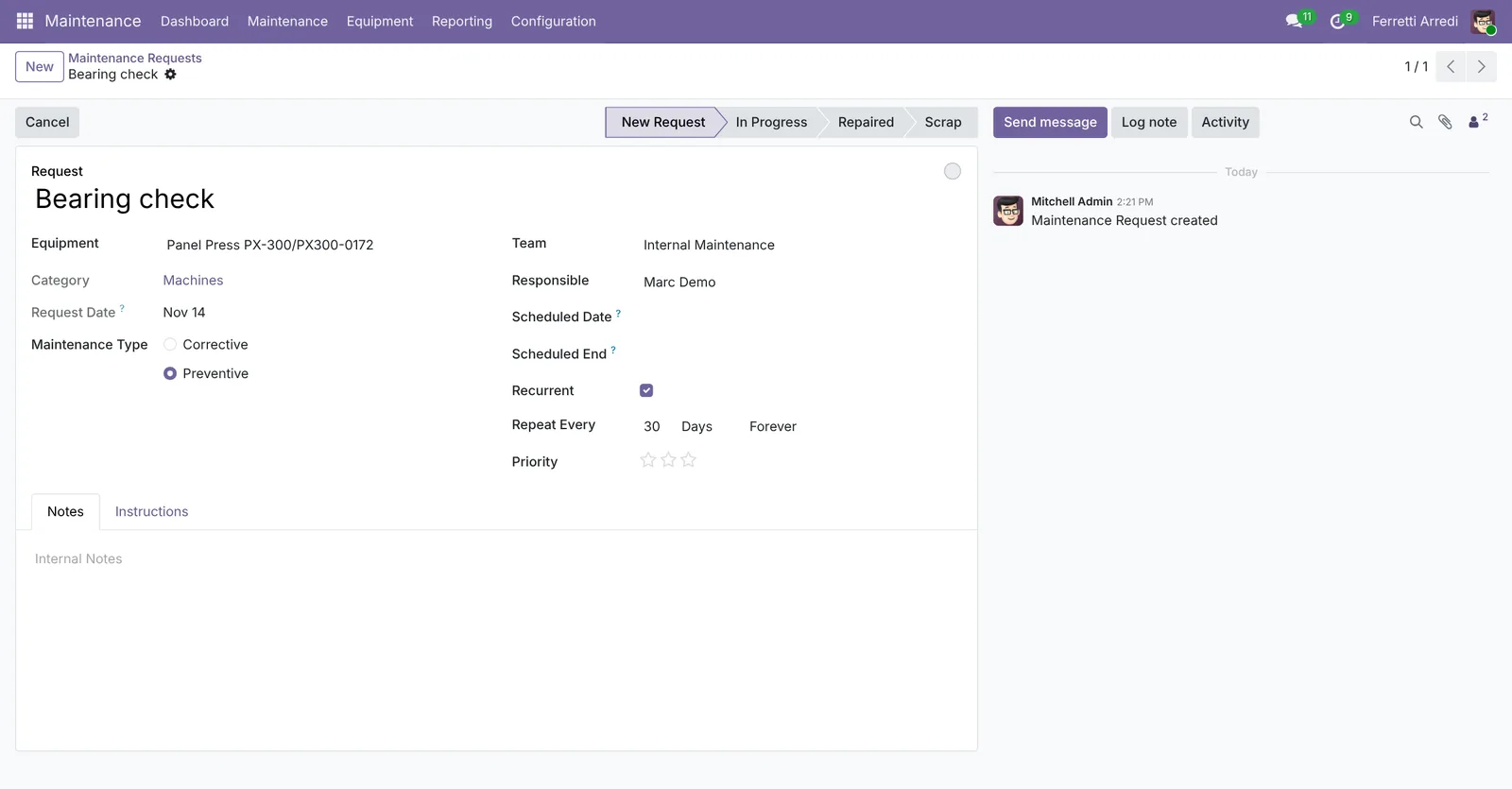 A check every 30 days, without a reminder in anyone’s calendar.
Common mistakes
- Requests with no equipment. Then the machine’s history is empty, and nobody sees it breaks every month.
- Closing requests without a note. “Fixed” says nothing next time. Write what was done in the notes.
- One huge category. Group machines the way your teams work, so each team sees its own.
- Preventive checks in someone’s head. If it isn’t a recurrent request, it gets forgotten the first busy week.
Maintenance with AI: ask your AI assistant through MCP
With the Hawklify MCP server, Claude, ChatGPT and other assistants work in your Odoo as you, with your permissions. When a machine breaks again, Odoo has its past requests, but nobody reads them all on the shop floor.
On the shop floor, on the phone. Luca snaps the press’s nameplate and sends it to a chat assistant connected to Odoo through Hawklify. Depending on how your organisation set up the server, the assistant makes the change straight away or first shows you a card to approve. Here Smart mode is on: it asks once, in the chat.
Hawklify
Your Odoo, from the chat you already use
Send a message, a photo or a voice note: the assistant reads and works in Odoo through Hawklify, with your permissions.

The press is noisy again
Panel Press PX-300, serial PX300-0172. Fourth noise report in two months:
- Sep 18, Noise from the press: bearings greased
- Oct 9, Press squeaking: greased again
- Oct 30, Loud noise at startup: greased
Grease isn't fixing it. Open an urgent request for today, and add a bearing check every 30 days?
Yes, both
Done. Urgent request for today at 14:00, with the history in it: check the bearings and the hydraulic pump, don't just grease. Bearing check every 30 days from Dec 14.
On the computer, in card mode. The same history, for every machine, shows where preventive maintenance pays off. Nothing changes until the card is approved:
Corrective requests in 2026, with the hours the machine was stopped:
- Panel Press PX-300: 7 breakdowns, 31 hours. Always bearings. Its preventive check is every 180 days.
- Edge Bander EB-12: 5 breakdowns, 18 hours. Glue unit, every time after ~6 weeks of work. No preventive plan.
- CNC Router R-2000: 2 breakdowns, 6 hours. Different causes.
I'd bring the press to a check every 30 days and add one every 30 days on the edge bander's glue unit. The router is fine as it is.
Approval needed in OdooUpdate
Set a preventive check every 30 days on the Panel Press PX-300 (now every 180 days) and on the Edge Bander EB-12 (none yet).
maintenance.equipment · 2 records
Panel Press PX-300
| Field | Current | New |
|---|---|---|
| Preventive Maintenance Frequency | 30 days |
Edge Bander EB-12
| Field | Current | New |
|---|---|---|
| Preventive Maintenance Frequency | 30 days |
Change applied in Odoo.
Organisation administrators can turn the approval cards off on the Members page.
First checks: Edge Bander EB-12 on Nov 23, Panel Press PX-300 on Dec 14. Both show in the maintenance calendar with the history of their breakdowns.
Versions we tested
| Version | Result |
|---|---|
| Odoo 16 | Steps 1 to 3 are the same. Preventive maintenance is set on the equipment: on its Maintenance tab, the Preventive Maintenance Frequency in days. |
| Odoo 17 | As in this guide, with recurrent preventive requests. |
| Odoo 18 | As in this guide. |
| Odoo 19 | As in this guide. The screenshots come from Odoo 19. |
| Odoo 20 | Same steps. A request can have several technicians, and has its own state besides the stage; Repaired is still a stage. |
Frequently asked questions
What is the difference between corrective and preventive maintenance?
Corrective is a repair after something broke: someone reports it and the team fixes it. Preventive is planned in advance, at a regular interval, so the machine is checked before it breaks.
Who gets notified of a new request?
The responsible technician gets an activity to do, and the team sees the request in its kanban. Employees can also send requests by email to the team's alias, if you set one up.
Can I see every request of one machine?
Yes. Open the equipment: the Maintenance button at the top counts its requests and opens them, past and open.
Do I need the Maintenance app in Enterprise?
No. Equipment, requests, teams and preventive maintenance are in Community. Enterprise adds links with Manufacturing work centers and quality checks.
Questa guida è disponibile anche in italiano: Manutenzione Odoo: attrezzature, richieste e preventiva
Related Odoo guides
 ManufacturingBills of materials and manufacturing orders in OdooMake products in Odoo: create a bill of materials, plan a manufacturing order, check the components, produce and see the stock moves. Community and Enterprise.
 Human ResourcesFleet in Odoo: vehicles, odometer and servicesManage company vehicles in Odoo Fleet: add a vehicle and its driver, log the odometer, record a service with its cost, see what each one costs. Community and Enterprise.
 InventoryWarehouse setup in Odoo: locations and multi-step routesTurn on storage locations and multi-step routes in Odoo, then receive goods in 2 steps and ship them in 3: pick, pack and deliver. Community and Enterprise.