Fleet in Odoo: vehicles, odometer and services
Manage company vehicles in Odoo Fleet: add a vehicle and its driver, log the odometer, record a service with its cost, see what each one costs. Community and Enterprise.
- Community and Enterprise
- 3 min read
- Odoo + AI tutorial
Company vans and cars cost money in many small pieces: fuel, services, tyres, insurance. And the next service is usually noticed when it is already late. Odoo Fleet keeps each vehicle with its driver, its odometer readings and its services, and adds up what each one costs. This guide adds a car, logs a new odometer reading, records an oil change, and opens the costs report.
It works the same in Community and Enterprise. The versions we tested are listed at the end.
This guide is also an AI tutorial. At the end, an AI assistant connected to Odoo logs fuel and odometer from a photo of the receipt at the pump, and explains what each vehicle really costs per mile.See it in action ↓Before you start
- The Fleet app installed.
- The vehicle models you use. The demo data has several brands and models; add yours in Fleet → Configuration → Models.
1. Add a vehicle
Open Fleet and press New.
- Pick the Model, here Ford Focus.
- Type the License Plate, here 7MDX519.
- Choose the Driver.
- Type the Last Odometer (40,300) and choose its unit, mi or km.
Press Save.
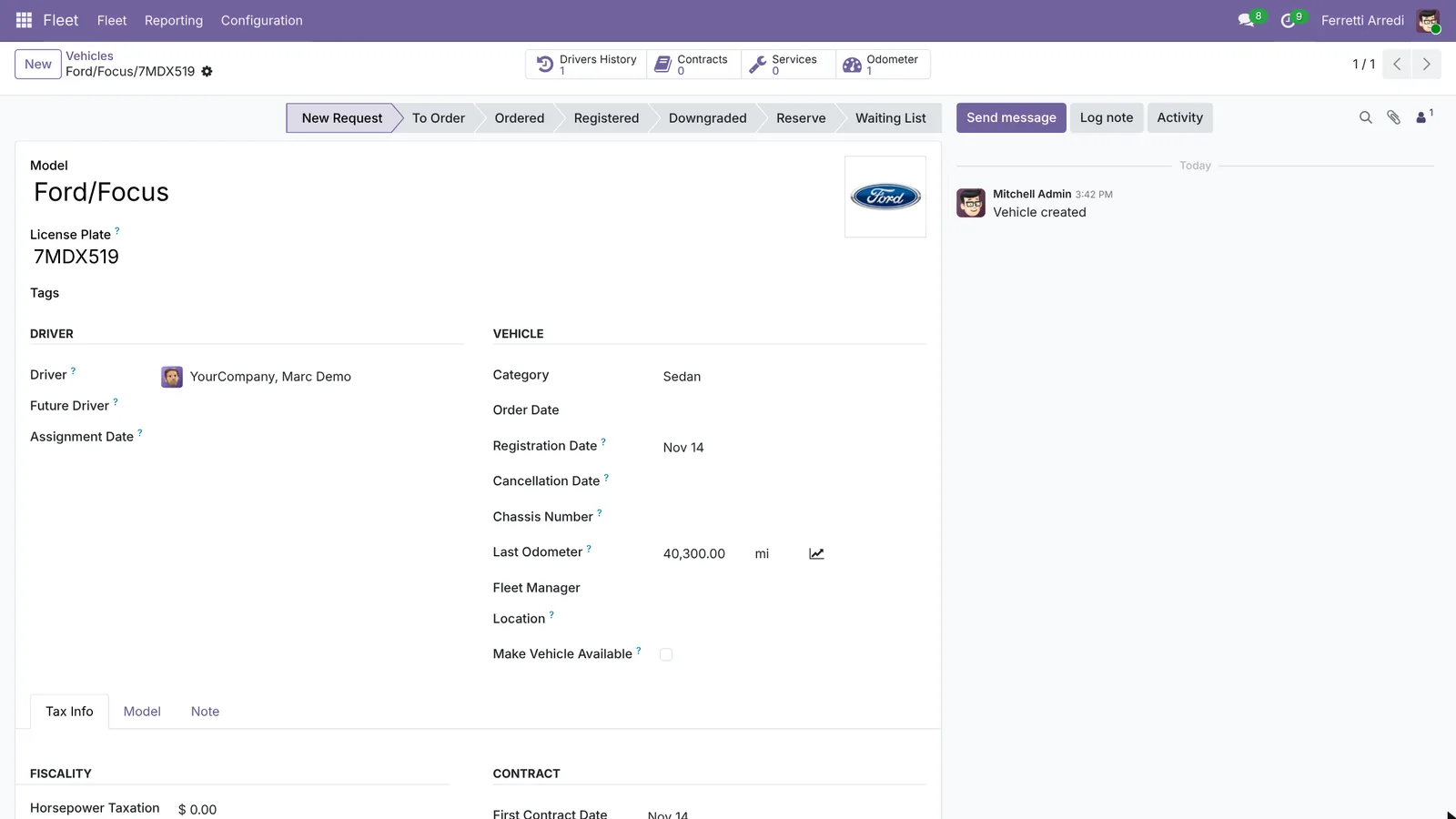 One record per vehicle, with its driver and odometer.
2. Log a new odometer reading
On the vehicle, press the Odometer button at the top. The list shows every reading with its date. Press New, type the new value (49,870) and save. The vehicle’s last odometer follows the newest reading.
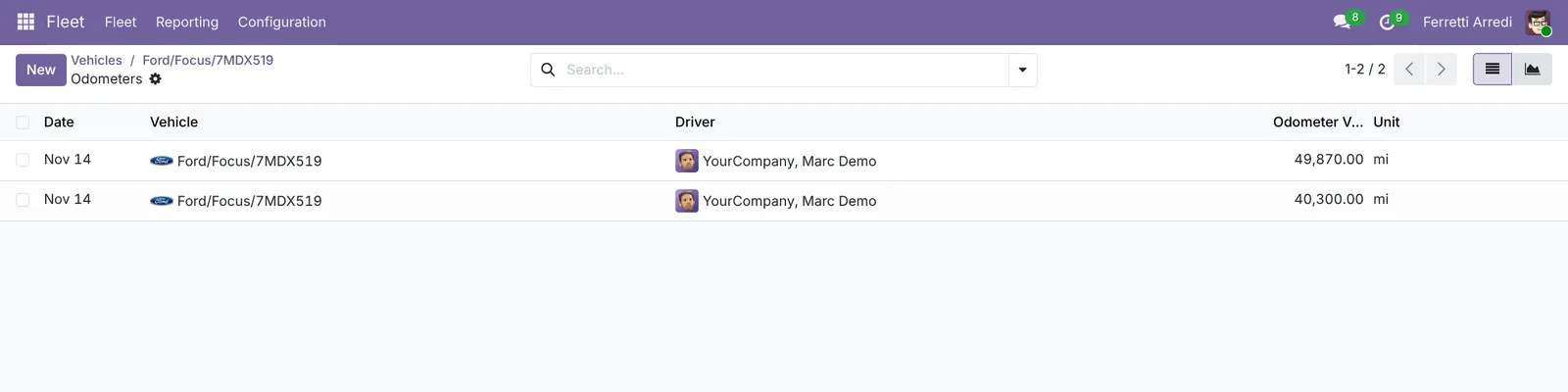 Every reading, with its date and driver.
3. Record a service
Open Fleet → Fleet → Services and press New.
- Write what was done in Description: Oil, filters, brakes checked.
- Pick the Vehicle and the Service Type, here Oil Change.
- Type the Cost (640) and the Odometer Value at the service.
- Choose the Vendor: type the garage’s name and press Create if it is new.
Press Save.
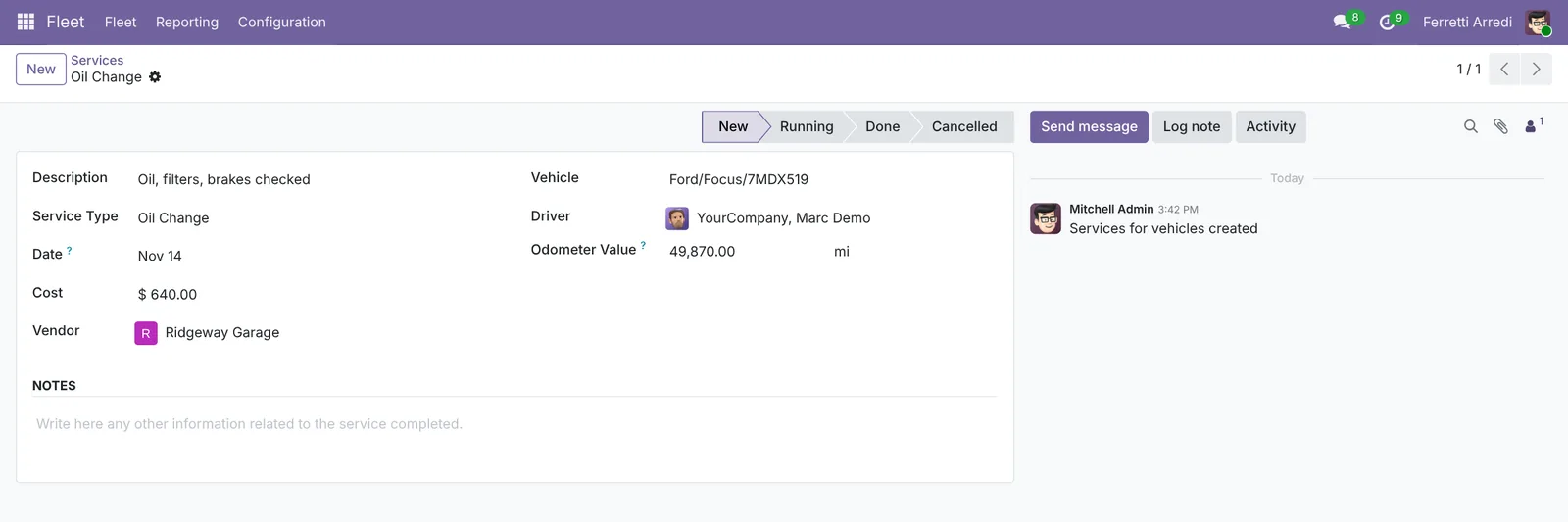 The cost, the garage and the odometer, in one place.
4. See what each vehicle costs
Open Fleet → Reporting → Costs. The chart shows contracts and services month by month; group it by vehicle to see which one costs the most, or switch to the pivot view to export it.
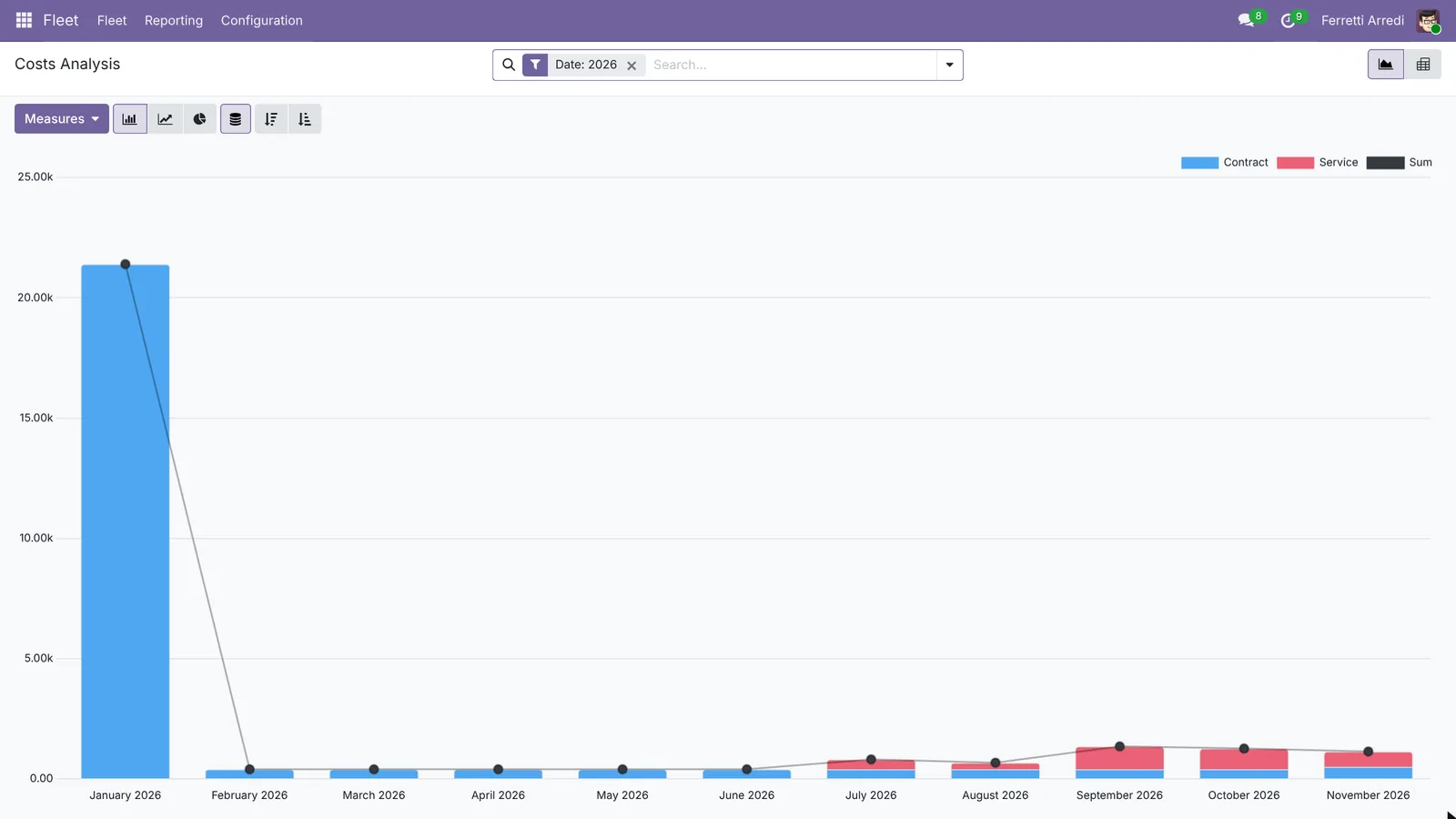 Contracts in blue, services in red.
Common mistakes
- Odometer readings only at the service. Log them more often, or Odoo can’t tell when the next service is due.
- Mixing km and mi. Set the unit once per vehicle and stick to it.
- Services without a cost. Then the costs report is empty exactly where the money goes.
- The vendor typed in the description. Use the Vendor field, so you can see what each garage costs you.
Fleet with AI: ask your AI assistant through MCP
With the Hawklify MCP server, Claude, ChatGPT and other assistants work in your Odoo as you, with your permissions. Fuel receipts end up in the glovebox, and the next service is in the notes of the last one, where nobody looks.
At the pump, on the phone. Paolo snaps the receipt and sends it to a chat assistant connected to Odoo through Hawklify. Depending on how your organisation set up the server, the assistant makes the change straight away or first shows you a card to approve. Here Smart mode is on: the routine fuel log goes straight in, and it asks once before booking the service.
Hawklify
Your Odoo, from the chat you already use
Send a message, a photo or a voice note: the assistant reads and works in Odoo through Hawklify, with your permissions.
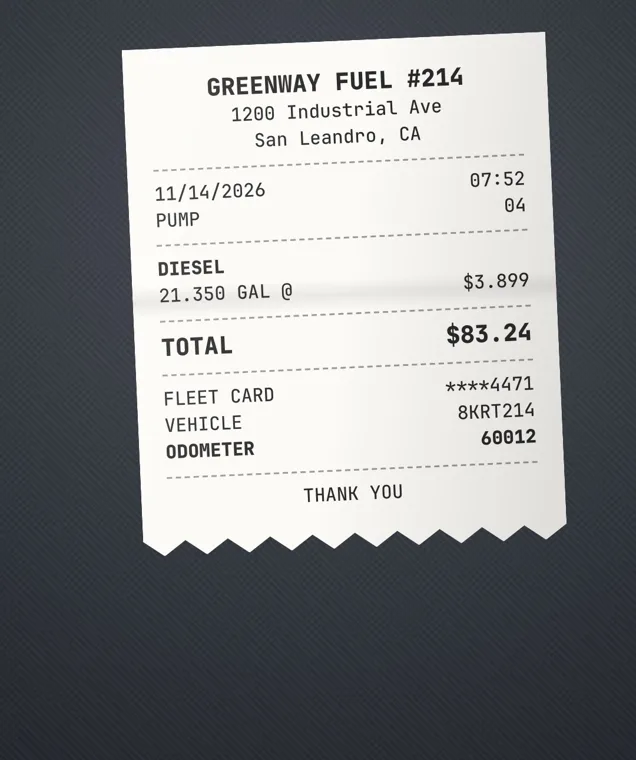
Fuel for the Transit
Logged: $83.24 diesel, odometer 60,012 mi on the Ford Transit Custom.
Heads up: the last service note says next service at 60,300 mi. That's only 288 miles away.
Book it at Ridgeway Garage for Tuesday?
Yes, Tuesday
Booked: periodic service at Ridgeway Garage, Tuesday, Nov 17. Drive safe, Paolo.
On the computer. Odoo has every cost of every vehicle, one log at a time. The assistant adds them up per mile:
Cost per mile this year (fuel, services, repairs):
- Ford Transit Custom 8KRT214: $0.41 a mile. 3 brake repairs since May ($1,380), and its fuel use went from 24 to 21 mpg.
- Fiat Doblò 4MXT902: $0.24 a mile.
- Renault Kangoo 7PLR551: $0.22 a mile.
The Transit costs almost twice the others, and the brakes are the reason: three repairs at the same garage, same part. Its lease ends in March.
Want me to plan a full brake inspection at a different garage, and note it for the renewal?
Done. A brake inspection at Northside Motors is planned for Nov 24 on the Transit, with the three earlier repairs in the description. The vehicle has a note: $0.41 a mile in 2026, check before renewing the lease in March.
Versions we tested
| Version | Result |
|---|---|
| Odoo 16 | Same steps. The demo models differ (no Ford Focus): we used the Opel Combo Tour. |
| Odoo 17 | Like 16. |
| Odoo 18 | As in this guide. |
| Odoo 19 | As in this guide. The screenshots come from Odoo 19. |
| Odoo 20 | Same screens and buttons as 19. |
Frequently asked questions
Can the odometer be in kilometers?
Yes. Each vehicle has its own unit, km or mi, next to the odometer. Choose it when you create the vehicle: every reading of that vehicle uses it.
Where do I add fuel costs?
As a service with a fuel service type, with its cost and the odometer at that moment. Then the Costs report shows fuel next to repairs and contracts.
Can a driver see their own vehicle?
Drivers are contacts, so they don't need an Odoo user. Employees with a user and the Fleet user right see the vehicles and can log readings.
How do I track leasing or insurance?
With contracts: the Contracts button on the vehicle. A contract has a start and end date and a recurring cost, and Odoo reminds you before it expires.
Questa guida è disponibile anche in italiano: Parco veicoli Odoo: veicoli, contachilometri e servizi
Related Odoo guides
 ManufacturingMaintenance in Odoo: equipment, requests, preventive plansSet up maintenance in Odoo: register a machine, handle a breakdown from request to repair, and plan preventive checks that repeat by themselves. Community and Enterprise.
 AccountingExpenses in Odoo: from receipt to reimbursementHandle employee expenses in Odoo: record an expense with its receipt, submit it, approve it, post it to accounting and pay the employee back. Community and Enterprise.
 Settings & ProductivityMulti-company in Odoo: two companies in one databaseRun two companies in one Odoo: create the company, give users access, use the switcher, share customers and see what each company keeps. Community and Enterprise.