Down Payments in Odoo: invoice a deposit, deduct it
Ask for a deposit on a sales order in Odoo: a down payment invoice of 30%, the order that remembers it, and the final invoice that deducts it.
- Community and Enterprise
- 4 min read
- Odoo + AI tutorial
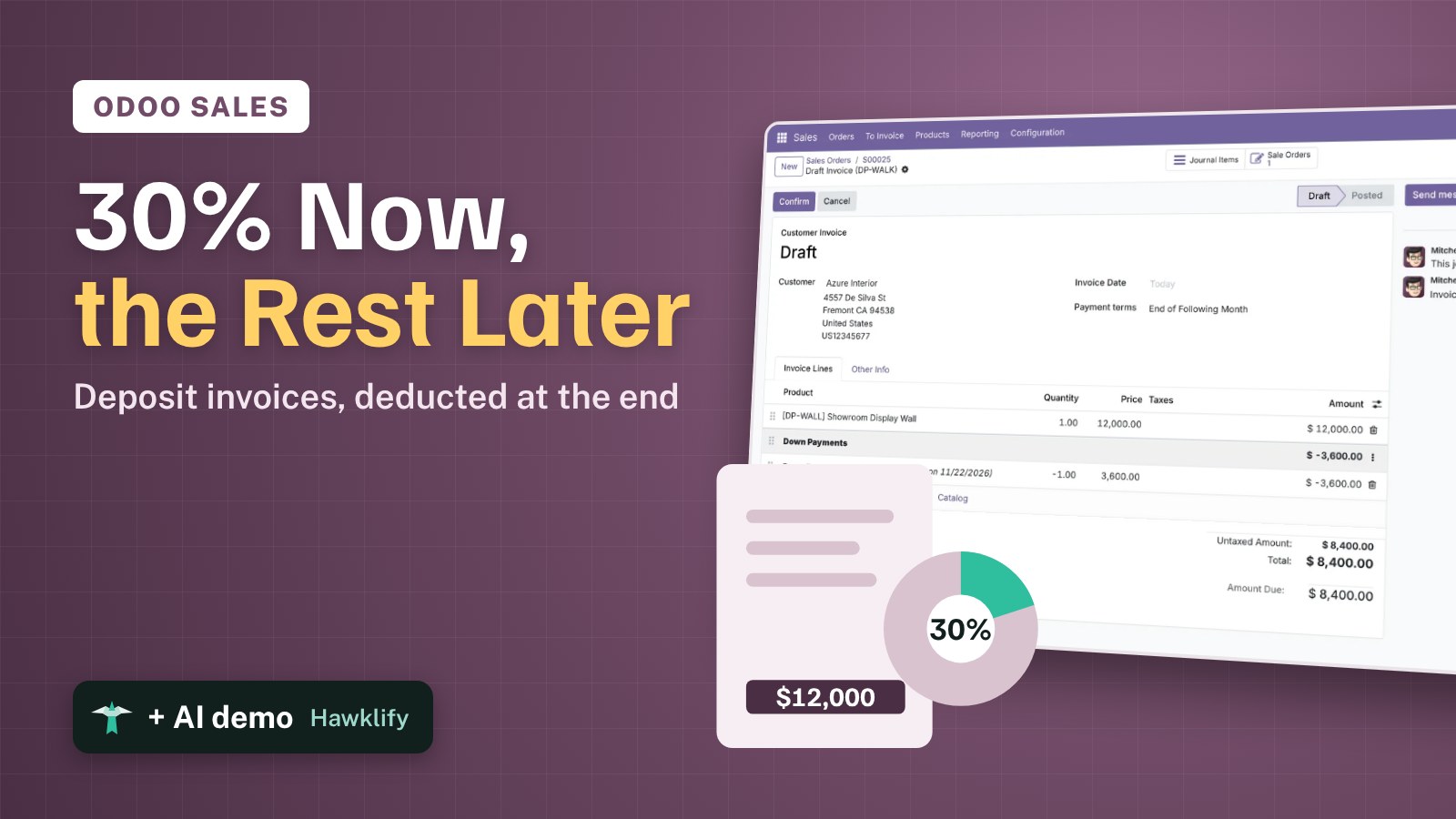
A customer orders a $12,000 showroom wall made to measure. You want 30% before you order the materials, and the rest when it’s delivered. If you send a separate invoice for the deposit and a full invoice at the end, the customer is billed twice and your receivables are wrong. A down payment in Odoo is a deposit invoice that the sales order remembers: when you invoice the rest, Odoo deducts it by itself. This guide asks for 30%, posts the deposit invoice, looks at the order and makes the final invoice.
It works the same in Community and Enterprise. The versions we tested are listed at the end.
This guide is also an AI tutorial. At the end, an AI assistant connected to Odoo finds the delivered orders whose deposit was never deducted and makes their final invoices from a phone chat, and splits a new order into two deposits right next to it in the browser.See it in action ↓Before you start
- The Sales app and invoicing (Invoicing or Accounting).
- A confirmed sales order, here S00025 for Azure Interior: one Showroom Display Wall at $12,000, no taxes to keep the numbers plain.
1. Ask for 30%
Open the order and press Create Invoice. In the window choose Down payment (percentage) and type 30 in Down Payment. With Down payment (fixed amount) you’d type a sum instead.
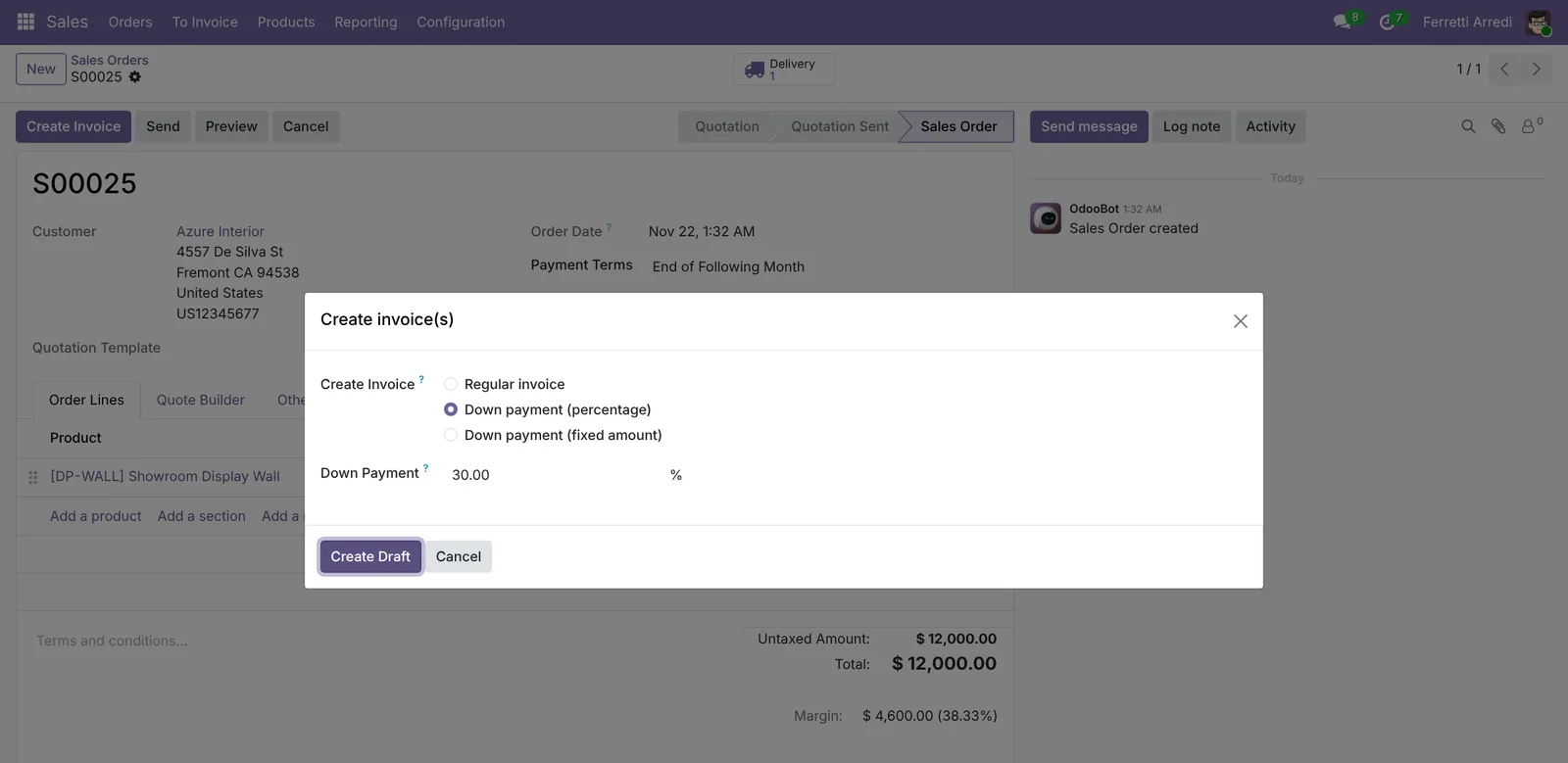 Regular invoice bills what’s ordered or delivered; the two down payment options bill a deposit.
2. Post the deposit invoice
Press Create Draft. Odoo opens a draft invoice with one line, Down payment of 30.00%, for $3,600. Check it and press Confirm: the customer can now pay it like any invoice.
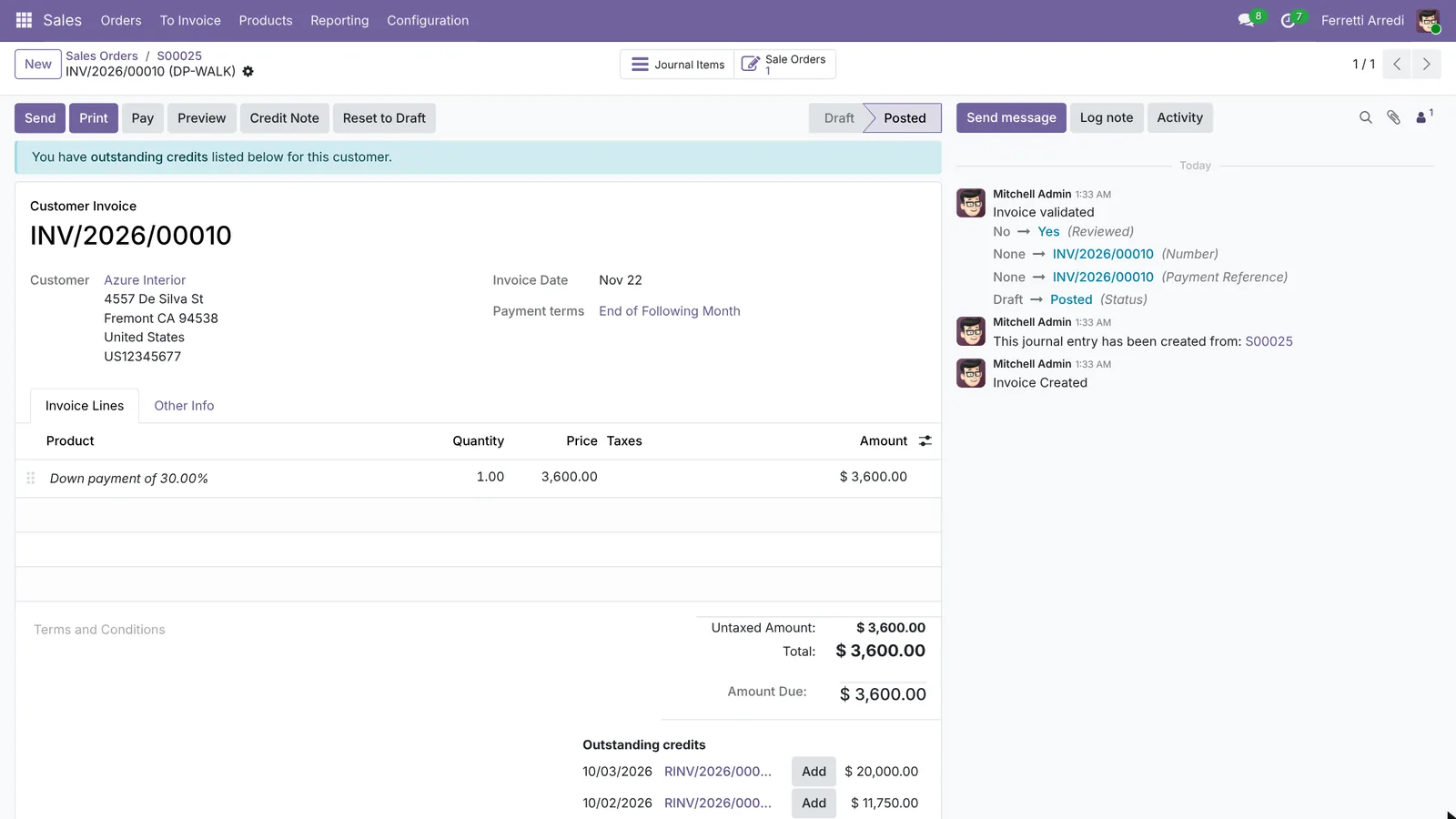 The deposit is a normal customer invoice: it can be sent, paid and followed up.
3. The order remembers it
Go back to the order. Under the product there’s a new section, Down Payments, with a line that points to the deposit invoice: invoiced 1, $3,600. The total of the order hasn’t changed: the deposit is part of it, not extra.
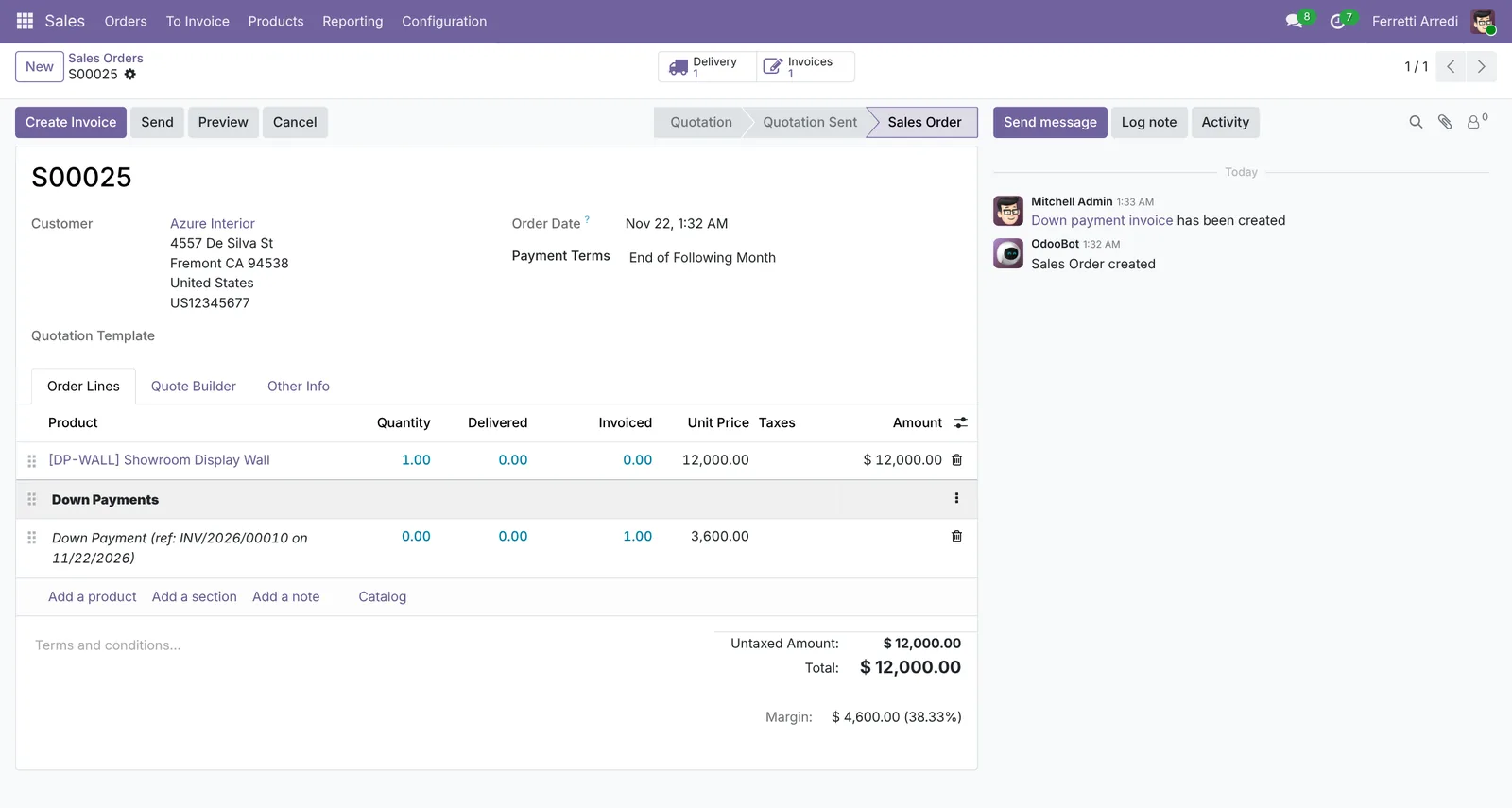 The order shows what was asked for in advance and on which invoice.
4. The final invoice deducts the deposit
When the wall is delivered, press Create Invoice again. This time leave Regular invoice and press Create Draft. The invoice has the wall at $12,000 and, under Down Payments, the deposit with quantity -1: $8,400 left to pay.
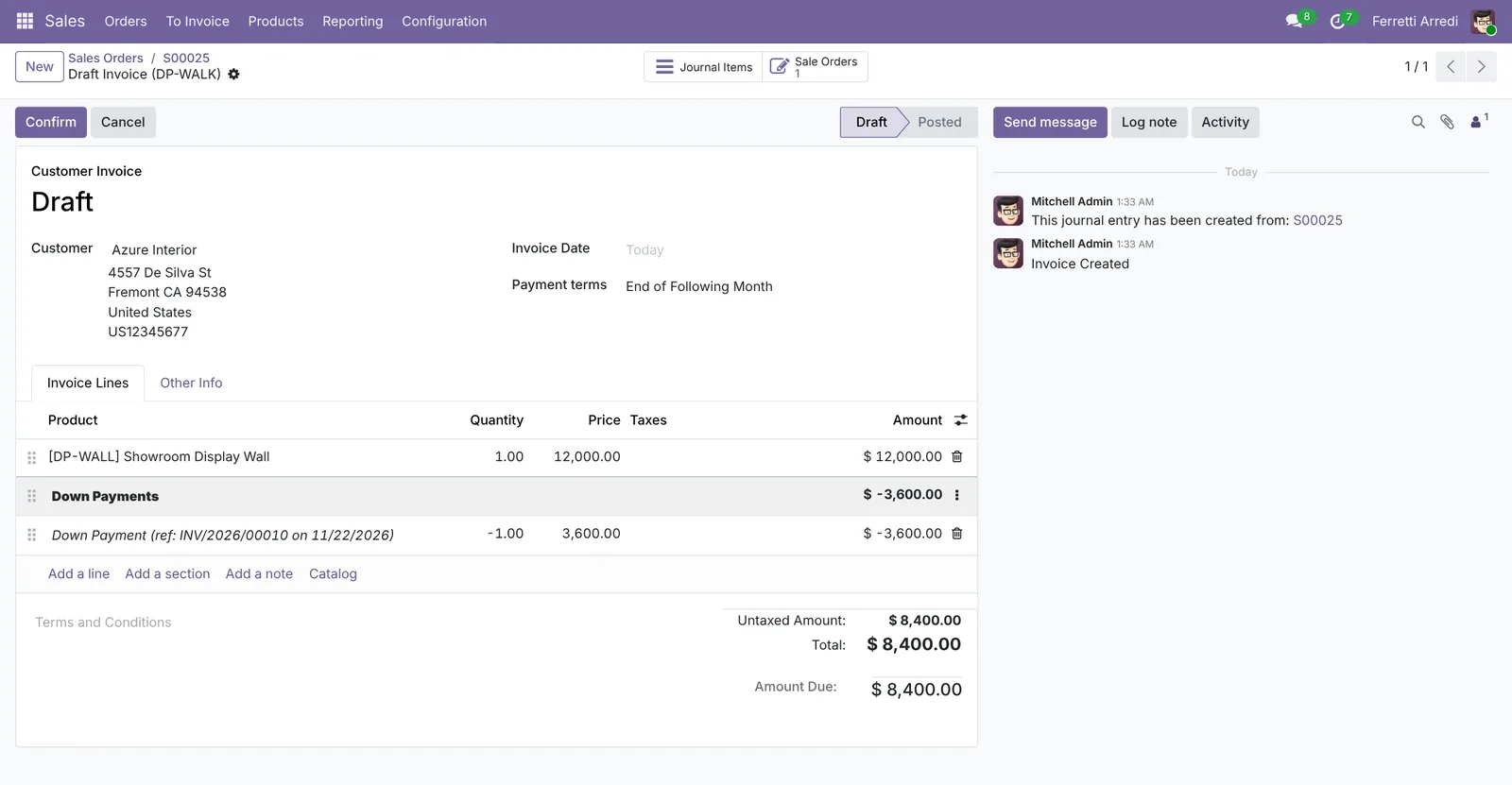 The customer pays the balance, and the order is fully invoiced.
Common mistakes
- Invoicing the full order after a deposit by hand. A new invoice typed from scratch doesn’t deduct anything. Always make the final invoice from the order with Regular invoice.
- Deleting the down payment line from the final invoice. Then the customer is billed for the whole amount again. The line is the deduction: leave it.
- Forgetting delivered quantities. If the product is invoiced on delivered quantities, the final invoice waits for the delivery: look at the order’s To Invoice status, not only at the deposit.
- Putting the deposit on the wrong account. If deposits must go to a liability account, set a down payment product with that account in the Sales settings before the first one.
Down payments with AI: ask your AI assistant through MCP
With the Hawklify MCP server, Claude, ChatGPT and other assistants work in your Odoo as you, with your permissions. Odoo deducts a deposit only when someone makes the final invoice, and nothing tells you which delivered orders are still waiting for it. An assistant reads the orders, their deliveries and their deposits together, and makes the invoices you forgot.
From your phone. You’re away from the desk and ask the company assistant in a chat. Smart mode is on: the assistant asks once before it creates anything.
Hawklify
Your Odoo, from the chat you already use
Send a message, a photo or a voice note: the assistant reads and works in Odoo through Hawklify, with your permissions.
Any delivered order where we took a deposit and never invoiced the rest?
Two:
- S00025 Deco Addict: the display wall was delivered 9 days ago, deposit $3,600 (INV/2026/00010), $8,400 never invoiced.
- S00026 Gemini Furniture: 2 shop counters delivered 4 days ago, deposit $1,000, $4,400 to invoice.
S00027 for Ready Mat isn't delivered yet, and S00028 for Azure Interior is fully invoiced.
Create the two final invoices, with the deposits deducted?
Yes, create them
Done: two draft invoices, Deco Addict $8,400 and Gemini Furniture $4,400, each with its deposit deducted under Down Payments.
They're drafts: confirm them in Odoo, or tell me and I'll confirm and send them.
Next to the order, in the browser. The customer wants to pay in two deposits: the assistant prepares the first and remembers the second.
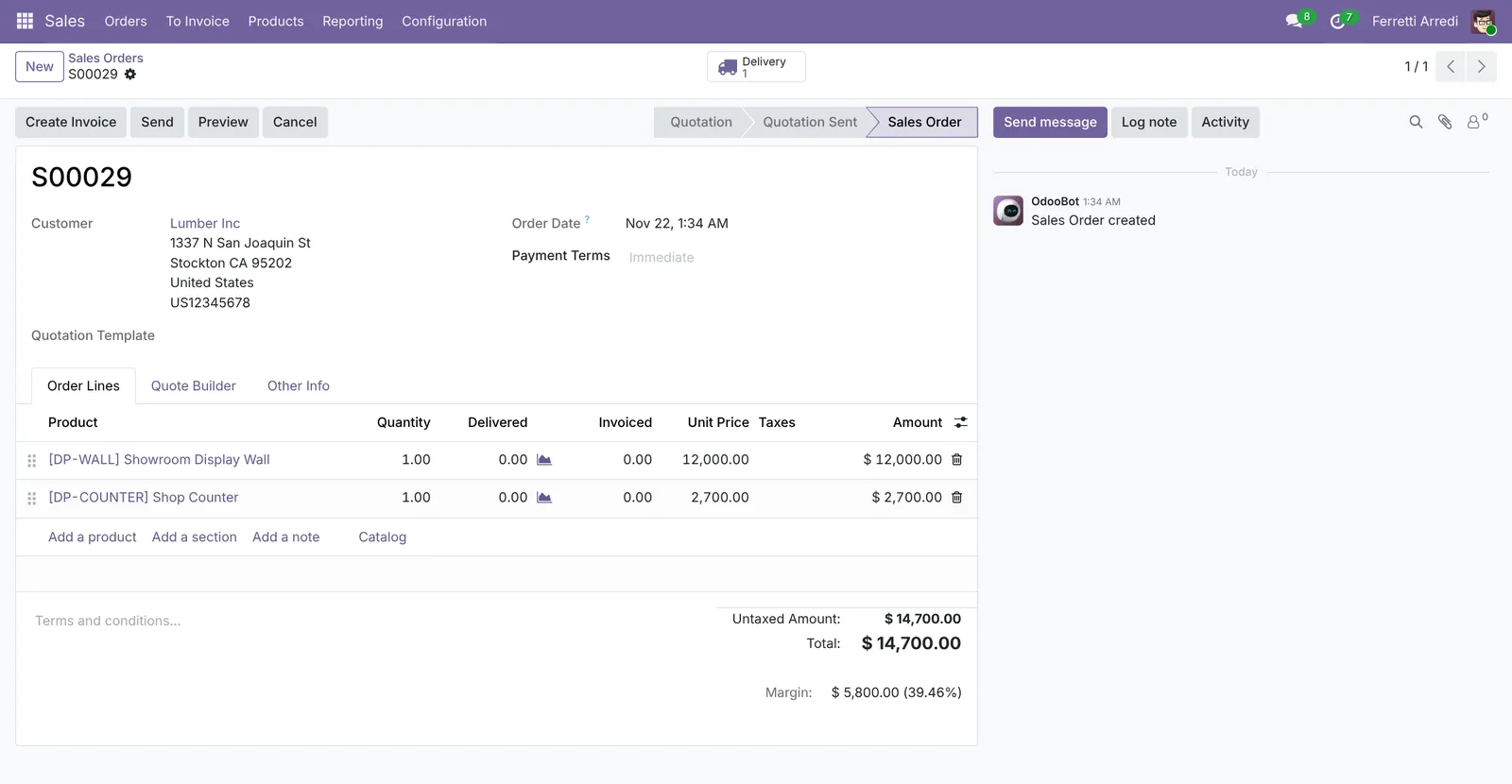
S00029 is $14,700 (Showroom Display Wall $12,000 + Shop Counter $2,700), nothing invoiced yet.
- now, deposit of 30%: $4,410
- when you ship, deposit of 40%: $5,880
- final invoice: $14,700 minus both deposits, $4,410
Create the first deposit invoice and a reminder for the second on the delivery date?
Done: a draft invoice Down payment of 30.00% for $4,410, ready to confirm and send to Lumber Inc.
The To-Do on S00029 reminds you, on the delivery date, to ask for the 40% ($5,880). The final invoice will deduct both deposits.
Versions we tested
| Version | Result |
|---|---|
| Odoo 16 | Same steps. The window is Create invoices, the field Down Payment Amount, and the buttons Create and View Invoice and Create Invoice. With a deposit on the order, Regular invoice shows Deduct down payments, ticked: leave it. |
| Odoo 17 | Same steps. The button is Create Draft Invoice, and the window also asks for an Income Account (empty uses the default one). |
| Odoo 18 | Same steps; the button is Create Draft. The deposit invoice has a Pay button instead of Register Payment. |
| Odoo 19 | As in this guide. The screenshots come from Odoo 19. |
| Odoo 20 | Same steps and screens as 19. On the final invoice the window shows Already invoiced: $3,600.00. |
Frequently asked questions
Do I need to set up a down payment product?
No. Odoo creates a Down Payment product the first time you use it. You can choose another one in the Sales settings, for example to send deposits to a different income account.
Percentage or fixed amount?
Either. Down payment (percentage) takes a share of the order total; Down payment (fixed amount) asks for an exact sum, such as $1,000. Both are deducted the same way.
Can I ask for two deposits on one order?
Yes: run Create Invoice again with another down payment. Each one gets its own line under Down Payments, and the final invoice deducts them all.
What if I invoice on delivered quantities?
The down payment works the same, but Regular invoice only has something to bill once the goods are delivered. Until then the order has nothing to invoice except another deposit.
Questa guida è disponibile anche in italiano: Anticipi in Odoo: fattura l'acconto e scalalo alla fine
Related Odoo guides
 SalesSales orders in Odoo: from quotation to invoiceTake a sale through Odoo from start to finish: create the quotation, confirm the order, deliver the goods and post the invoice. Community and Enterprise.
 AccountingPayment terms in Odoo: due dates that get you paidSet payment terms in Odoo so every invoice gets the right due date, register the payment, then find overdue invoices and send a reminder. Community and Enterprise.
 SalesCredit Limits in Odoo: warn before you sellSet customer credit limits in Odoo: turn on Sales Credit Limit, give a customer a limit, see the warning on the quotation and watch it go when the invoice is paid.