Units of Measure in Odoo: buy in boxes, sell by the piece
Set up units of measure in Odoo: a Box of 100 unit, the vendor's unit on the product, a purchase order in boxes and the stock counted in pieces.
- Community and Enterprise
- 4 min read
- Odoo + AI tutorial
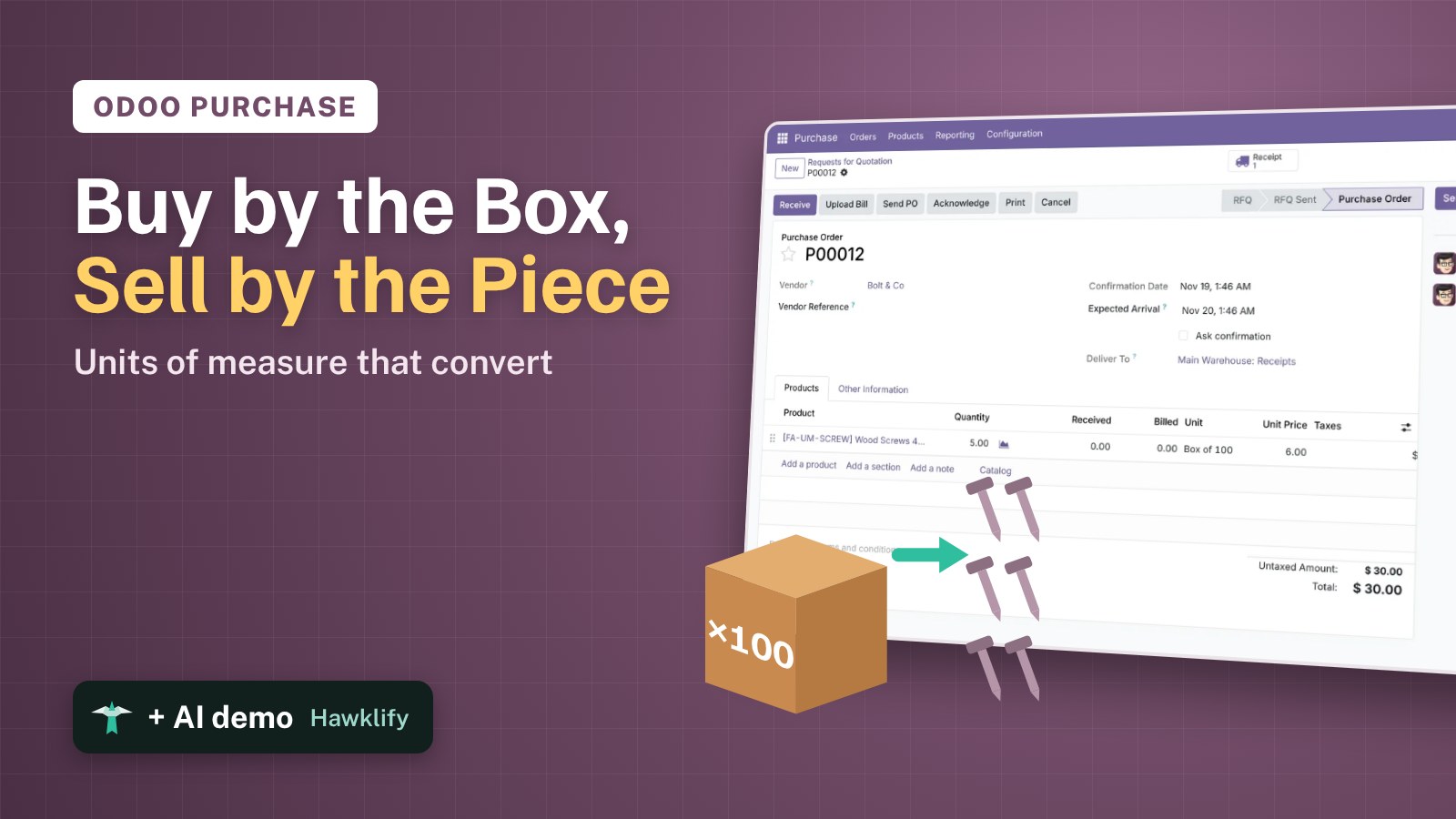
Screws come in boxes of 100, fabric in rolls of 50 metres, but you sell them one by one and by the metre. If Odoo counts a box as one screw, the stock says 5 when 500 are on the shelf, and the cost per screw is a hundred times too high. Units of measure tell Odoo how you buy and how you sell: you order 5 boxes and the stock goes up by 500. This guide turns units on, creates the box, sets it as the vendor’s unit and follows an order to the shelf.
It works the same in Community and Enterprise. The versions we tested are listed at the end.
This guide is also an AI tutorial. At the end, an AI assistant connected to Odoo finds the products bought in boxes but counted one by one and fixes their units, and turns the metres your customers ordered into the rolls your vendor sells.See it in action ↓Before you start
- The Purchase and Inventory apps installed.
- The product, here Wood Screws 4x40 sold at $0.12 each, with its vendor Bolt & Co at $6.00 a box in the Purchase tab.
1. Turn on units of measure
Open Inventory → Configuration → Settings. In the Products section tick Units of Measure & Packagings and press Save. Order lines and products get a unit field.
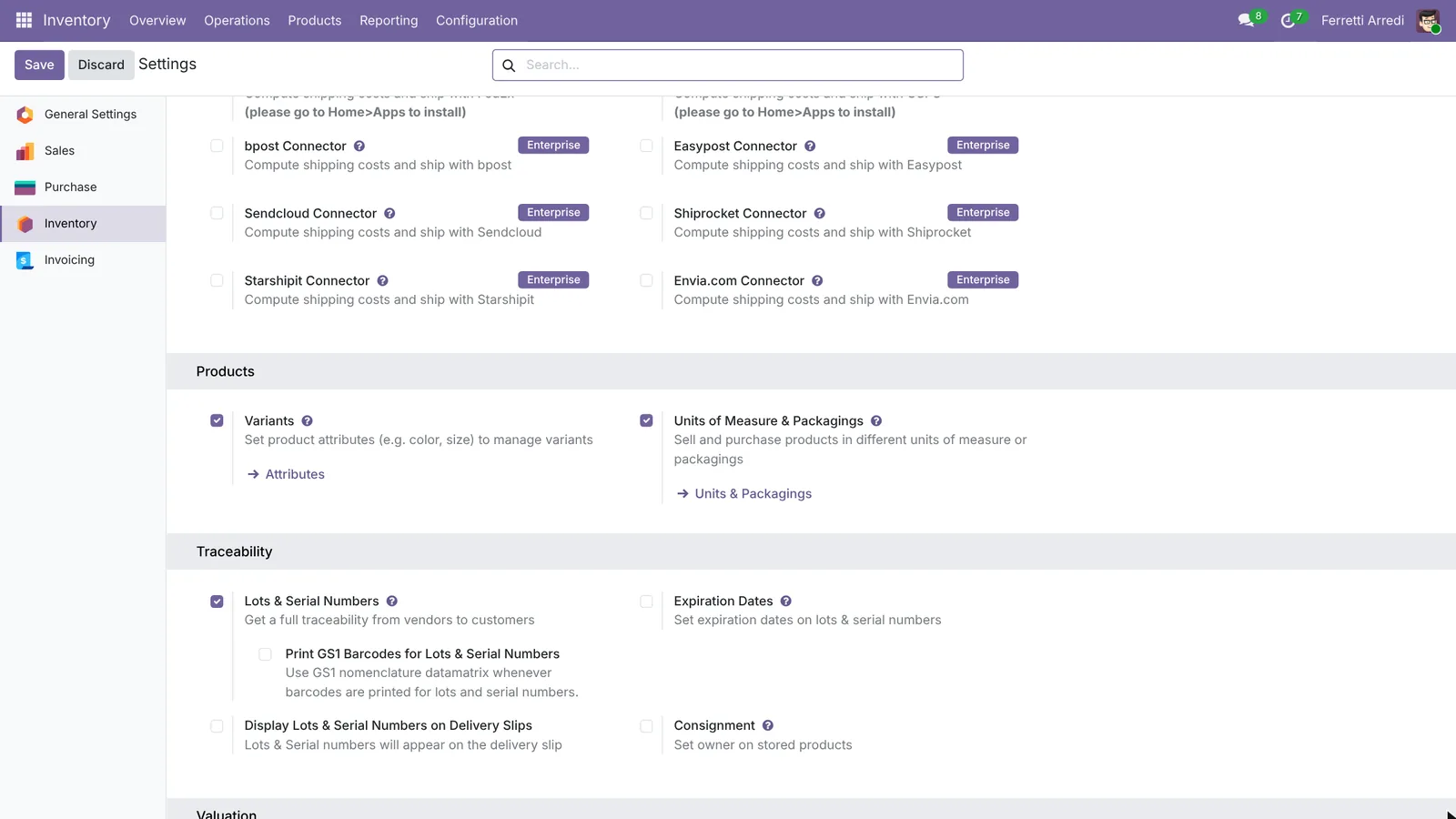 One tick: every quantity gets a unit.
2. Create the box
Open Inventory → Configuration → Units & Packagings and press New. Name it Box of 100, and under Quantity write 100 and pick Units. Save.
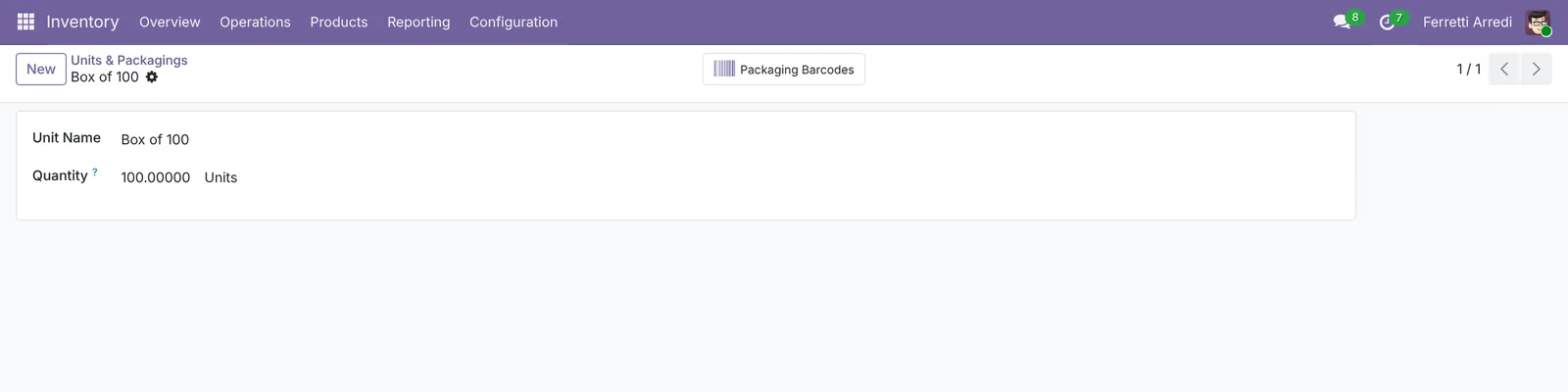 A box is 100 units: Odoo converts in both directions.
3. Buy the product by the box
Open Purchase → Products → Products and the Wood Screws 4x40. In the Purchase tab click the line of Bolt & Co and set its Unit to Box of 100: the price, $6.00, is now per box. Save.
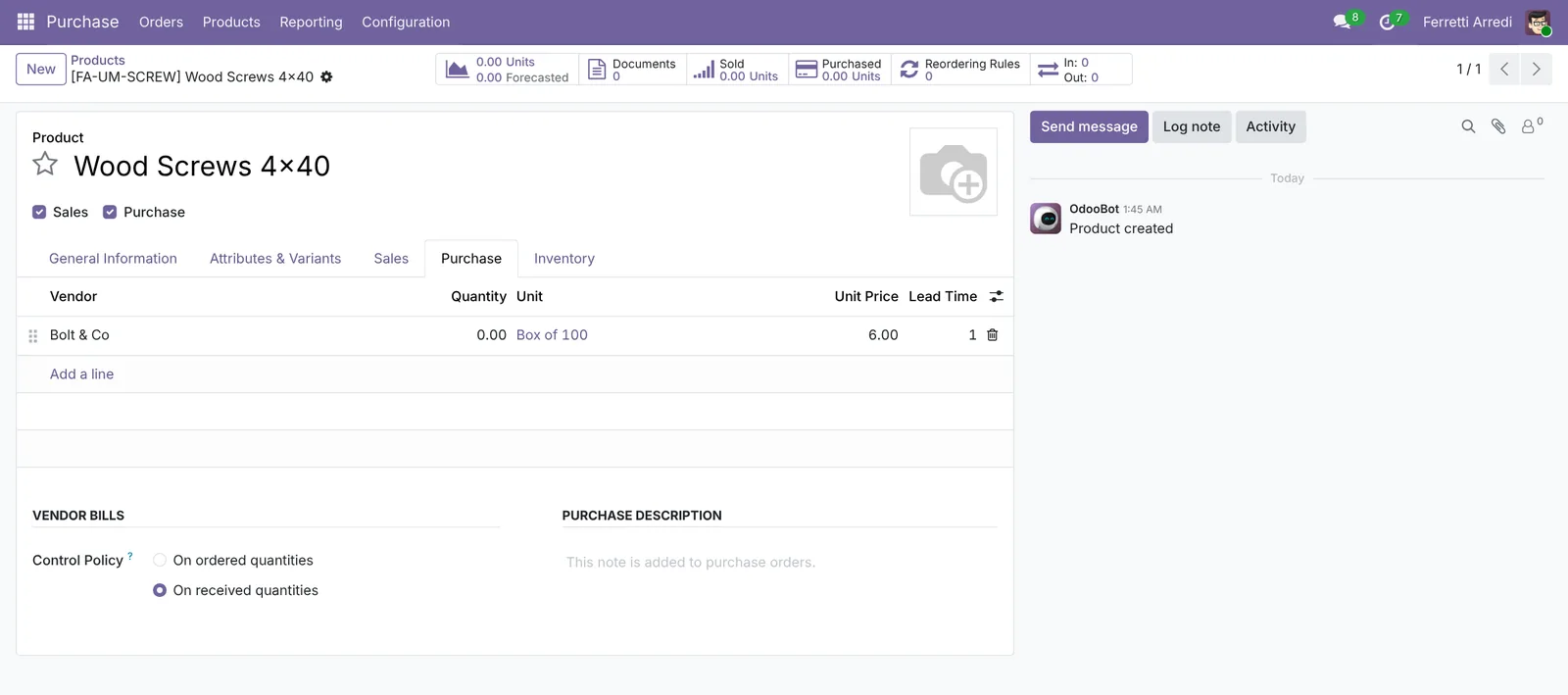 The vendor’s unit and price, as on their price list.
4. Order in boxes
Open Purchase → Orders → Requests for Quotation, press New, pick Bolt & Co and add the screws. Odoo proposes the Unit Box of 100 at $6.00: write 5 in Quantity and press Confirm Order. The order is $30, as on the vendor’s invoice.
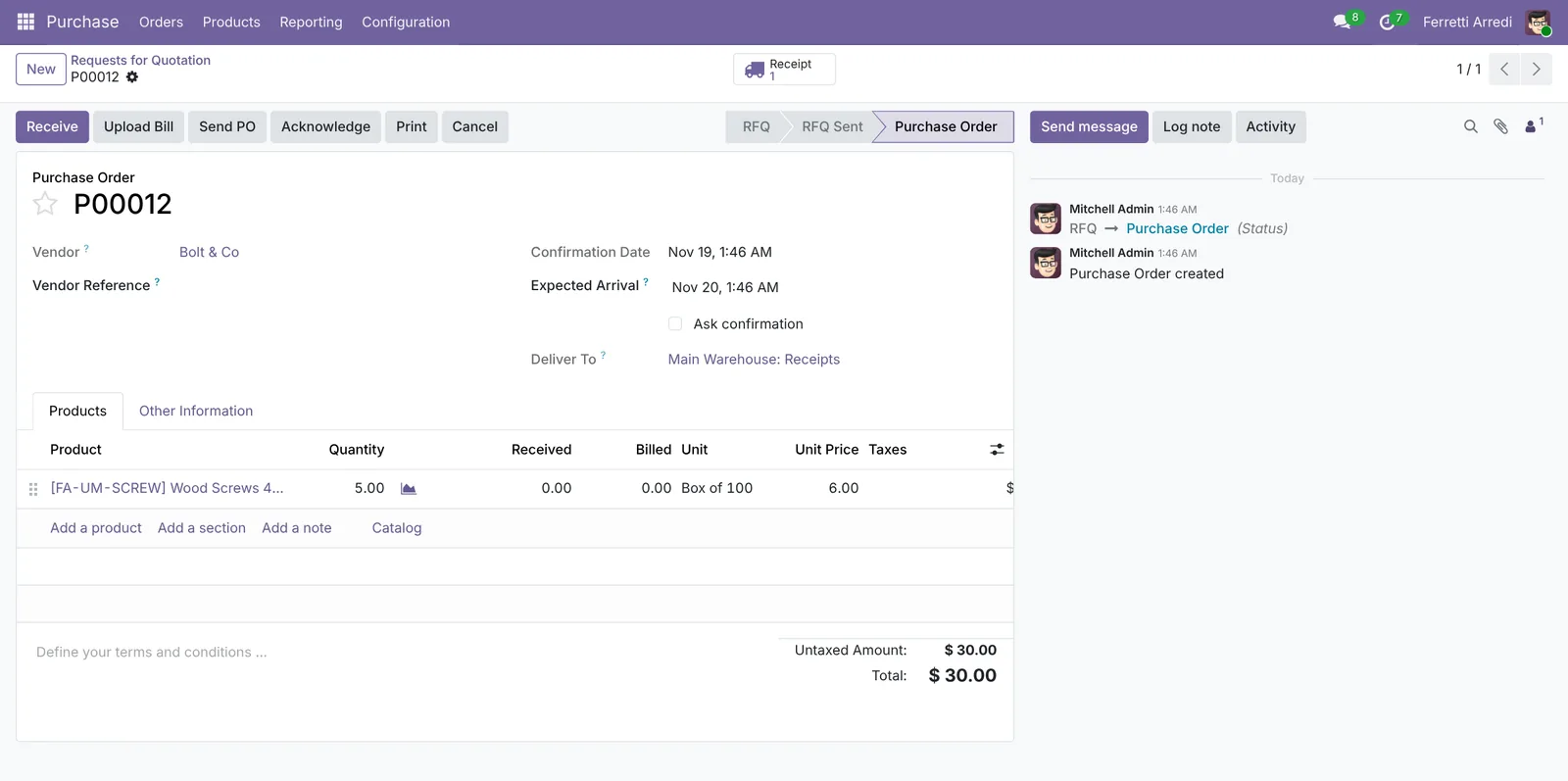 5 boxes at $6.00: the order matches the vendor’s documents.
5. Receive and count in pieces
Press Receipt and then Validate when the boxes arrive. Open the product again: On Hand says 500 Units. Sales take screws one by one at $0.12, and the cost per screw is $0.06.
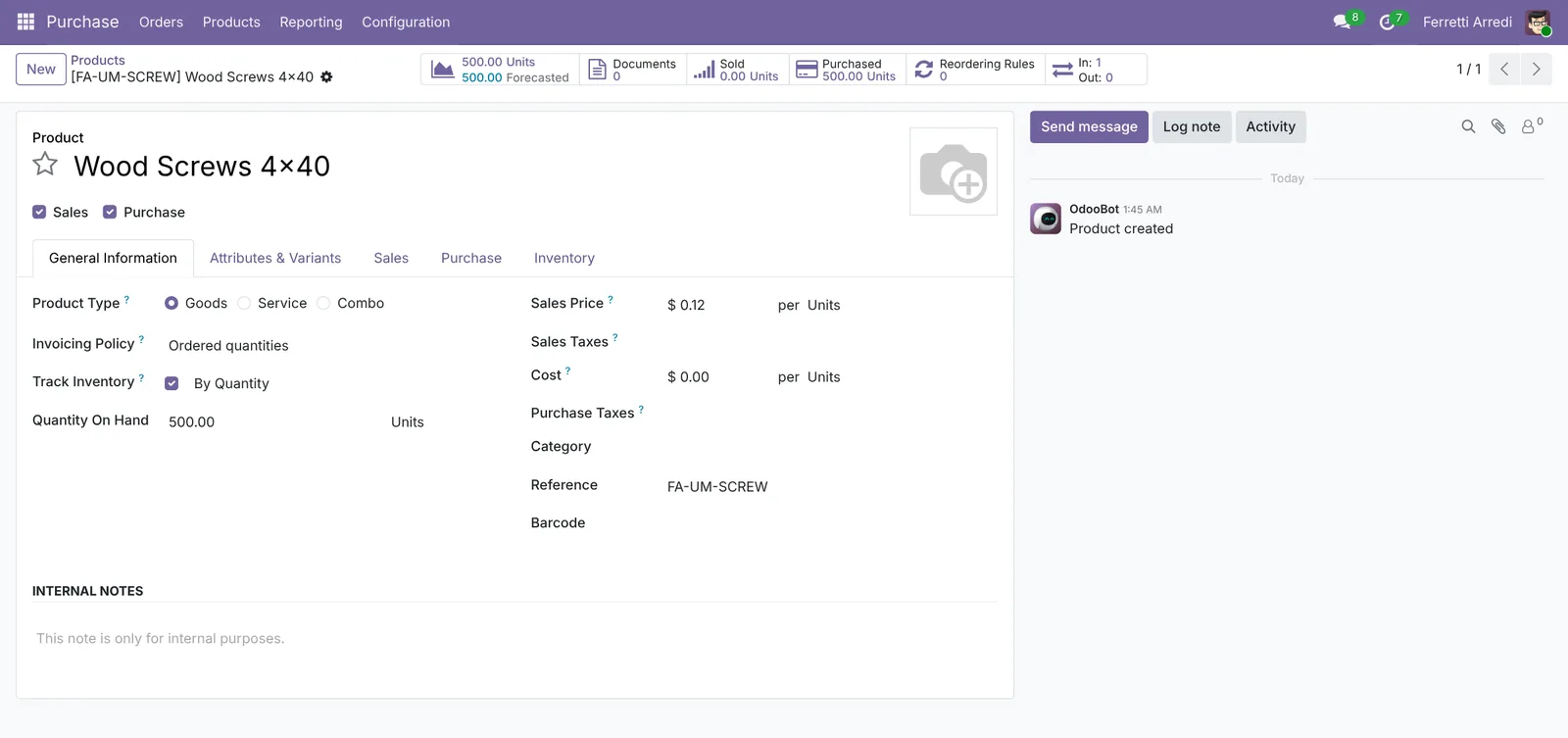 5 boxes in, 500 screws on the shelf.
Common mistakes
- Writing “box of 100” in the description only. Odoo still counts one screw per box: the stock is a hundred times too low and the cost a hundred times too high.
- Dividing the vendor’s price by hand. $0.06 per screw on the purchase order no longer matches the vendor’s invoice. Keep their unit and price.
- Changing the stock unit after the first moves. Odoo refuses or converts in odd ways. Pick the unit you count in (here Units) before the first receipt.
- Forgetting the old receipts. Setting the box fixes new orders only. Count the shelf and correct the quantity.
Units of Measure with AI: ask your AI assistant through MCP
With the Hawklify MCP server, Claude, ChatGPT and other assistants work in your Odoo as you, with your permissions. A wrong unit hides in plain sight: the order looks fine, only the price per piece is absurd. And converting open orders in metres into the vendor’s rolls is arithmetic nobody likes. An assistant does both.
On the purchase order, in the browser. Smart mode is on: the assistant reads, explains, and asks once before it changes anything.
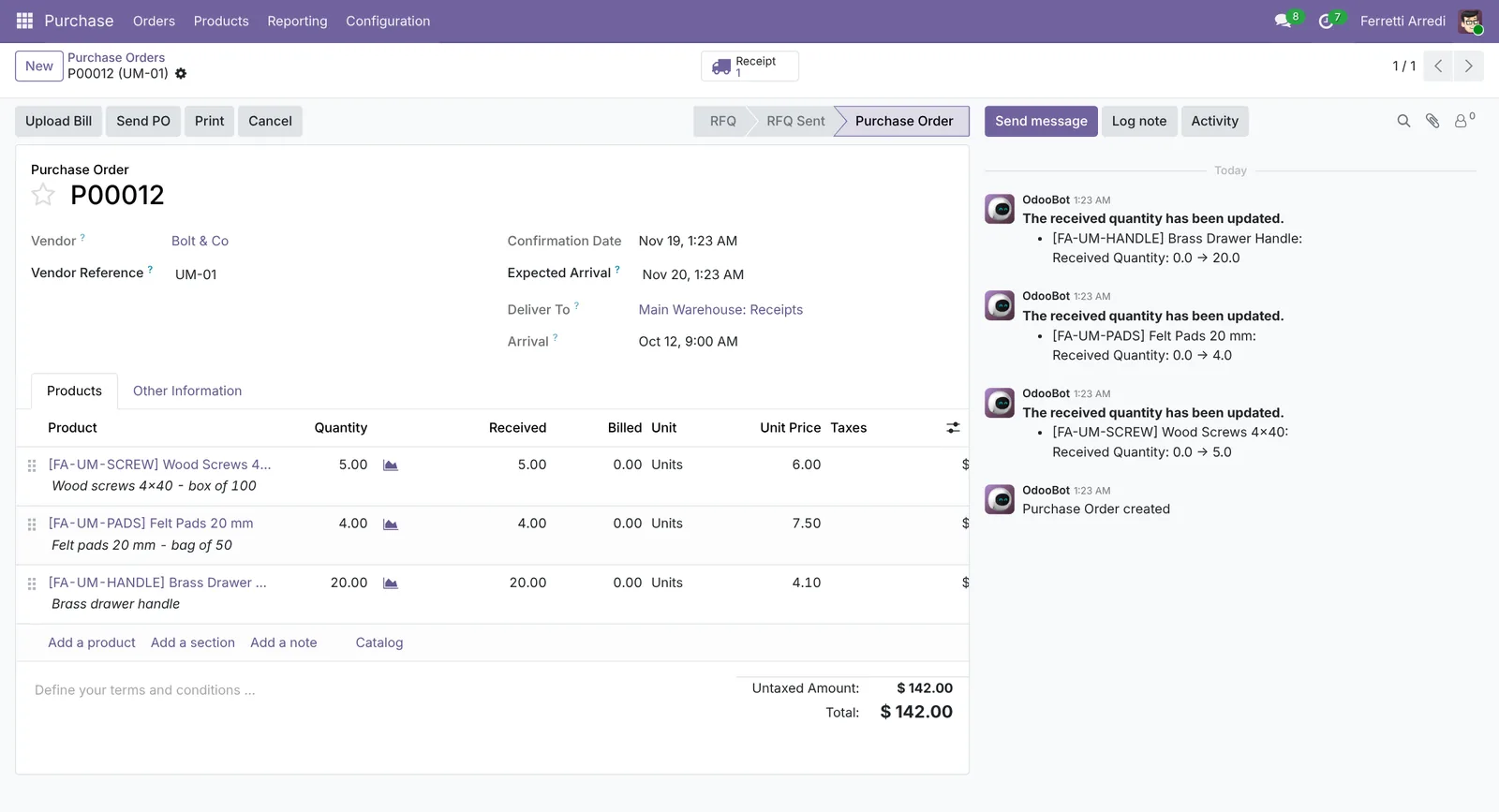
Yes, two lines of this order:
- Wood Screws 4x40: $6.00 "per unit" for a screw you sell at $0.12, and the line says box of 100. 500 screws arrived, Odoo counted 5.
- Felt Pads 20 mm: $7.50 each, sold at $0.25, bag of 50. 200 arrived, 4 counted.
The Brass Drawer Handle is right: $4.10 a piece, sold at $9.00.
Create the units Box of 100 and Bag of 50 and make them the purchase units of the two products?
Done: the next orders to Bolt & Co go in boxes and bags, at $6.00 and $7.50 as on their invoices.
The stock still says 5 screws and 4 pads: count the shelf and set 500 and 200 in Inventory, or tell me the counts and I'll do it.
On the computer. Here card mode is on: nothing changes until you approve the card.
The open orders need 123 m: Deco Addict 37 m, Azure Interior 22 m, Lumber Inc 64 m. You have 50 m: 73 m short.
Tessuti Como sells rolls of 50 m at $310. 2 rolls (100 m) cover it and leave 27 m on the shelf.
Approval needed in OdooCreate
Request for quotation to Tessuti Como: 2 Roll of 50 m of Linen Fabric Natural at $310, $620 in all.
purchase.order · 1 record
Tessuti Como
| Field | Current | New |
|---|---|---|
| Product | Linen Fabric Natural | |
| Quantity | 2 Roll of 50 m | |
| Unit Price | $310.00 | |
| Total | $620.00 |
Change applied in Odoo.
Organisation administrators can turn the approval cards off on the Members page.
Done: the request for quotation to Tessuti Como is ready, $620. When it arrives, the stock goes up by 100 m and the three orders can ship.
Versions we tested
| Version | Result |
|---|---|
| Odoo 16 | The setting is Units of Measure. Units belong to categories: open Inventory → Configuration → UoM Categories, open Unit and add Box of 100 as Bigger than the reference Unit of Measure with Ratio 100. On the product set Purchase UoM to Box of 100 in the General Information tab; the vendor price is per purchase unit. |
| Odoo 17 | Like 16. |
| Odoo 18 | Like 16, but Purchase UoM is in the product’s Purchase tab. |
| Odoo 19 | As in this guide. The screenshots come from Odoo 19. |
| Odoo 20 | Same steps and screens as 19. |
Frequently asked questions
What happens to the price when I change the unit?
Odoo converts it. The vendor's price of $6.00 is per box of 100; on a sale in units the product's own price, $0.12 each, applies. The cost of the product is kept per unit of stock, $0.06 here.
Can I sell in boxes too?
Yes. On a quotation line change the unit to Box of 100: Odoo takes 100 screws out of stock for each box and converts the price.
What is the difference between a unit and a packaging?
A unit changes how you count: 5 boxes are 500 units. A packaging is how goods are packed for picking or a barcode. From Odoo 19 both are in one list, Units & Packagings.
My stock is wrong because I bought in units by mistake. How do I fix it?
Set the right purchase unit first, so new orders are right. Then count the product and fix the quantity in Inventory, Physical Inventory: Odoo won't correct the past receipts by itself.
Questa guida è disponibile anche in italiano: Unità di misura in Odoo: compra a scatole, vendi a pezzi
Related Odoo guides
 PurchaseVendor bills in Odoo: pay only what you receivedOrder from a vendor in Odoo, receive part of the goods, and bill exactly what arrived, with the control policy on received quantities. Community and Enterprise.
 InventoryReordering rules in Odoo: restock before you run outSet min/max reordering rules in Odoo so it orders from your vendor before stock runs out, then use the Replenishment list to order now. Community and Enterprise.
 InventoryInventory valuation in Odoo: what your stock is worthSet the costing method in Odoo, see where a product's cost comes from, and read the value of everything in stock, product by product. Community and Enterprise.