Kits in Odoo: sell a bundle, ship its parts
Sell product bundles with Odoo kits: a Kit bill of materials, the kit's stock worked out from its parts, a quotation for two kits and the delivery of the parts.
- Community and Enterprise
- 4 min read
- Odoo + AI tutorial
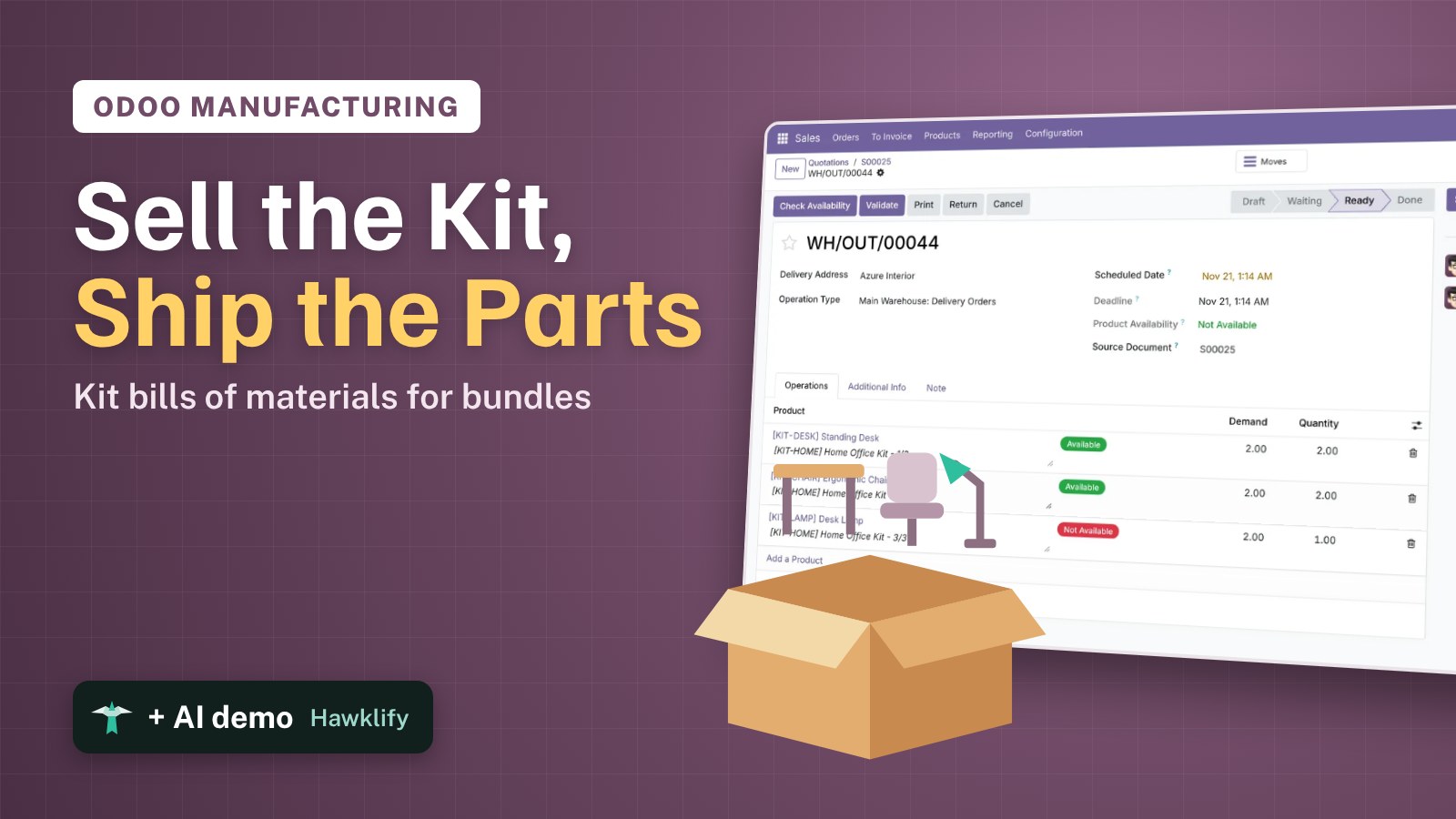
You sell a Home Office: a standing desk, an ergonomic chair and a desk lamp, one price. In the warehouse there’s no “Home Office” on a shelf, only desks, chairs and lamps. If you create it as a normal product, its stock is always wrong; if you sell the three parts separately, the customer sees three lines and three prices. A kit in Odoo is a product made of other products: you sell the kit, the delivery ships the parts, and the kit’s stock is worked out from theirs. This guide writes the kit, looks at its stock, sells two and follows the delivery.
It works the same in Community and Enterprise. The versions we tested are listed at the end.
This guide is also an AI tutorial. At the end, an AI assistant connected to Odoo checks a kit quotation part by part, finds the one component that stops the delivery and swaps in a kit you can ship, and builds a page that shows how many of each kit you can send today.See it in action ↓Before you start
- The Sales, Inventory and Manufacturing apps installed (the Kit type of bill of materials comes with Manufacturing).
- The parts as products in stock, here a Standing Desk, an Ergonomic Chair and a Desk Lamp, and the kit itself as a product, Home Office Kit, at $899.
1. Write the kit
Open Manufacturing → Products → Bills of Materials and press New. Pick the Product, Home Office Kit, and set BoM Type to Kit. In Components add one Standing Desk, one Ergonomic Chair and one Desk Lamp. Save.
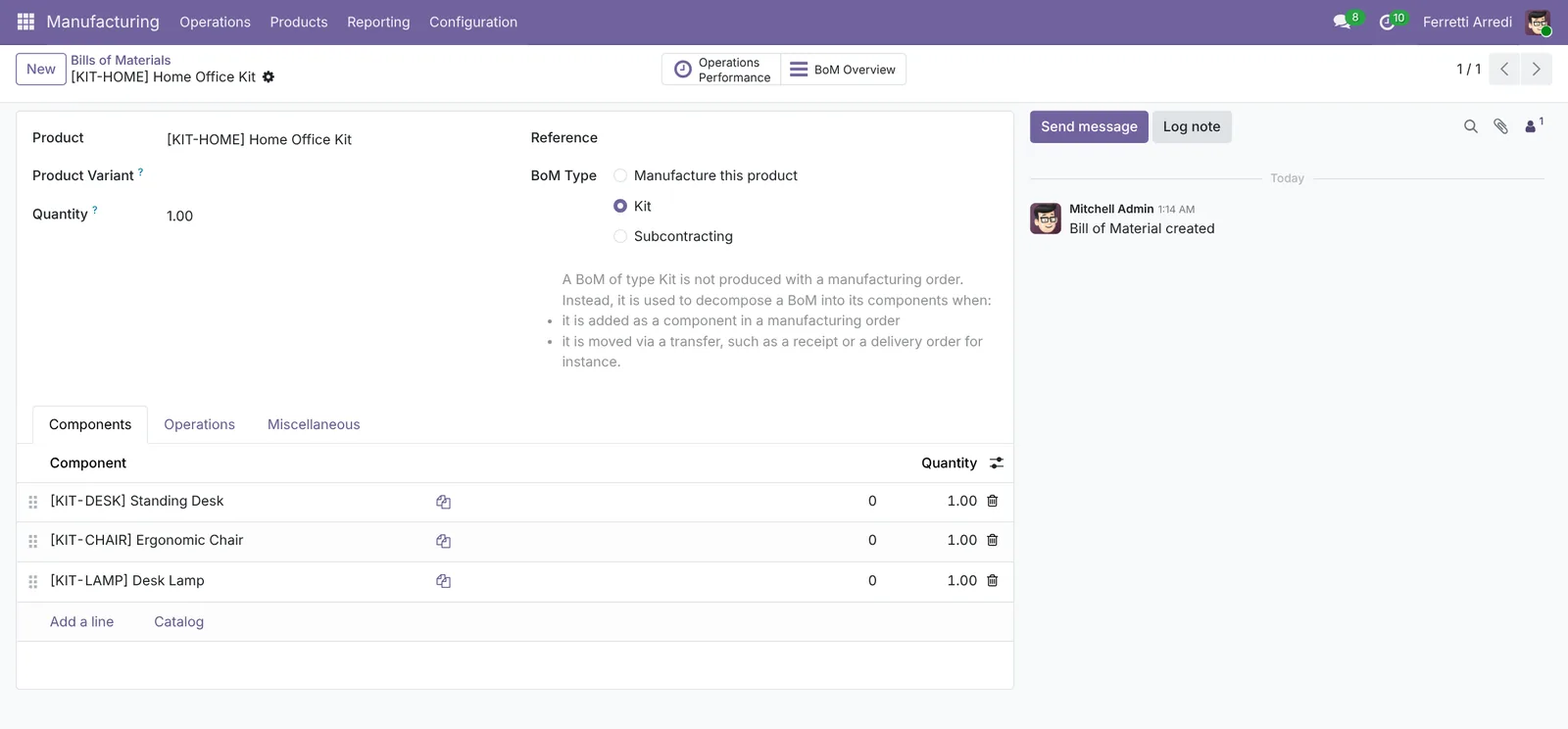 A kit is never manufactured: it’s split into its parts when it moves.
2. See how many kits you have
Open the Home Office Kit product. Quantity On Hand says 1.00, though you never received a kit: Odoo counts how many full kits the parts make. You have 10 desks and 12 chairs, but only one lamp.
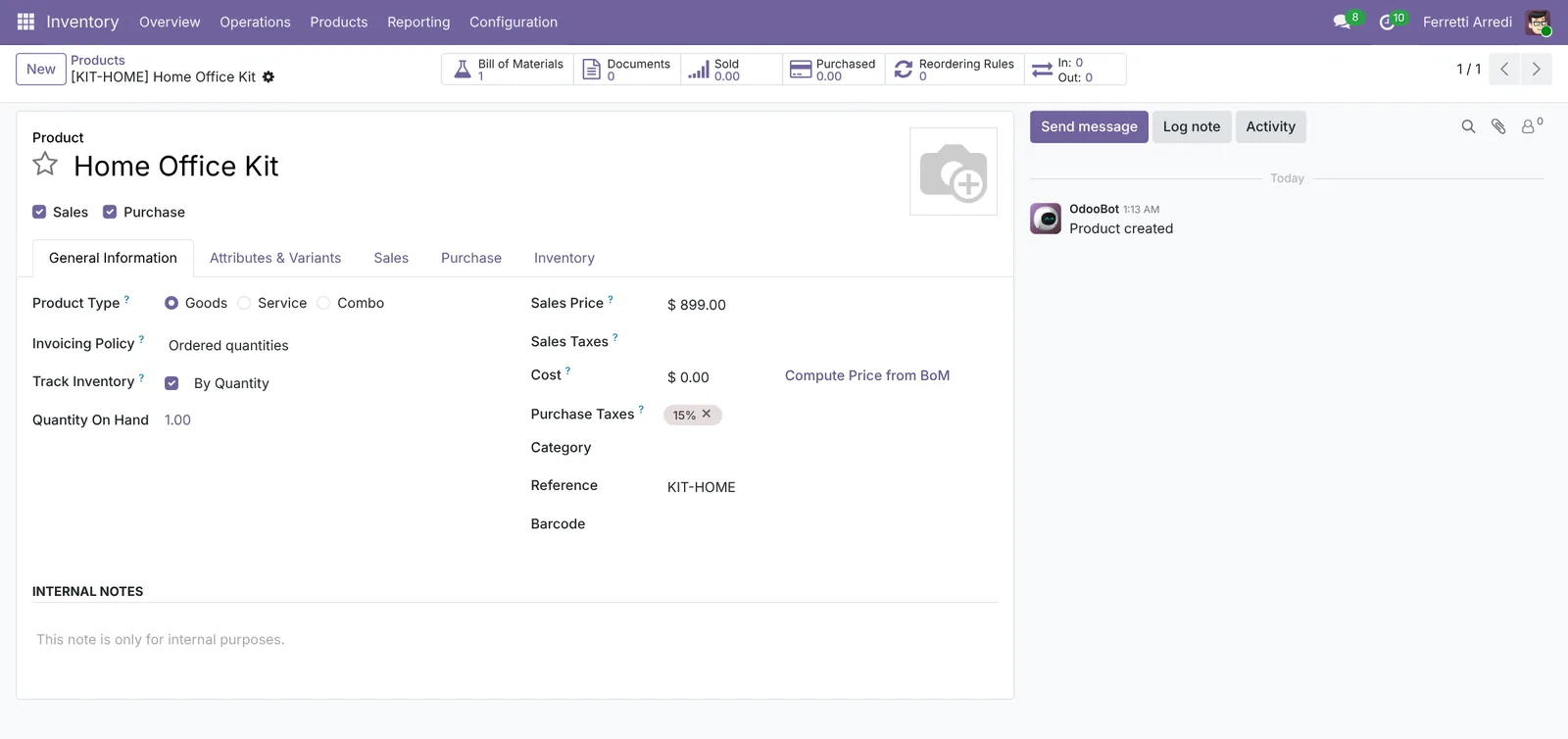 One lamp in stock, one kit available.
3. Sell the kit
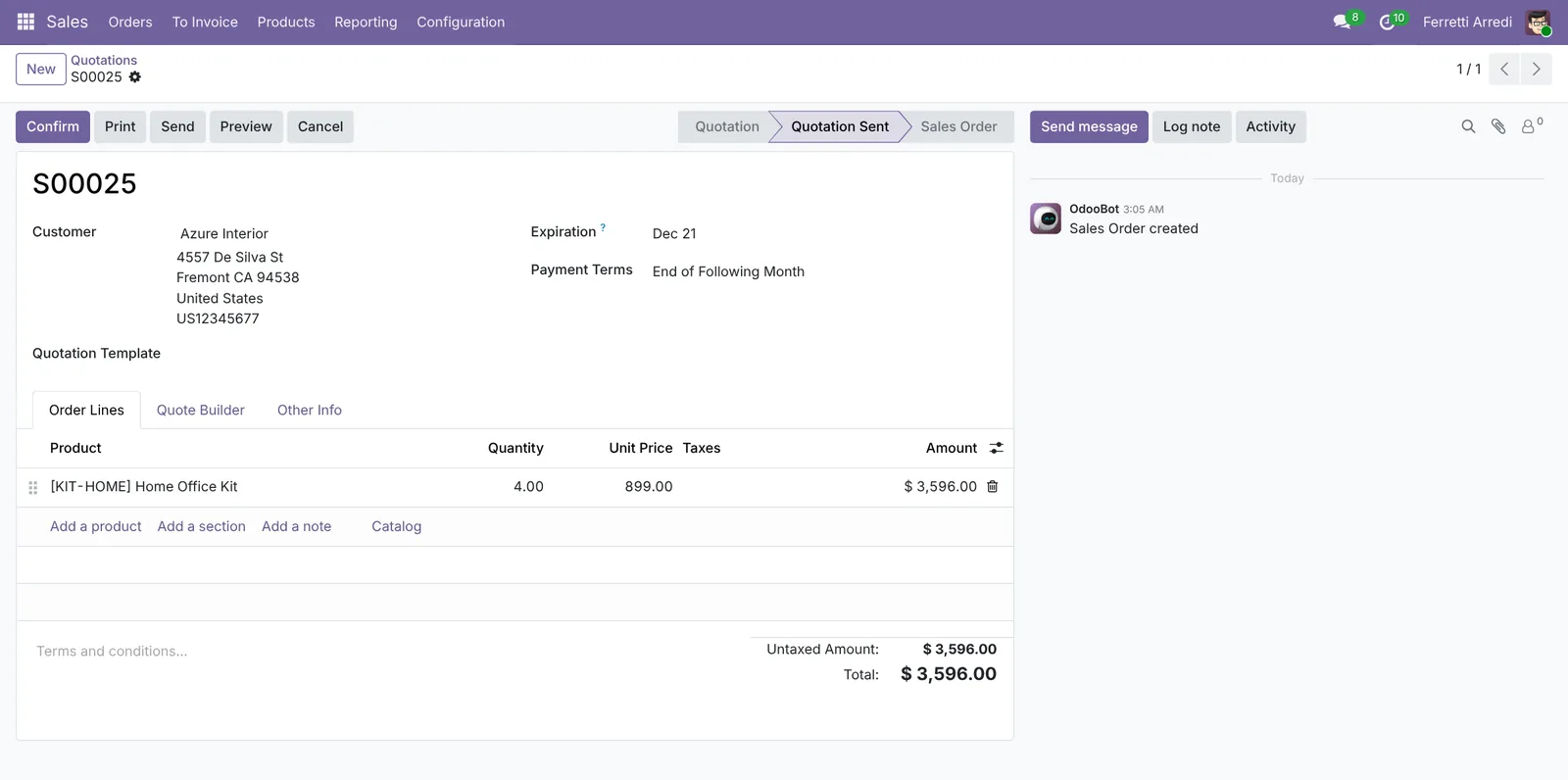
Open Sales → Orders → Quotations, press New, pick the customer (Azure Interior) and add 2 Home Office Kits. The line shows the kit at its own price, $899, and the customer sees one product, not three.
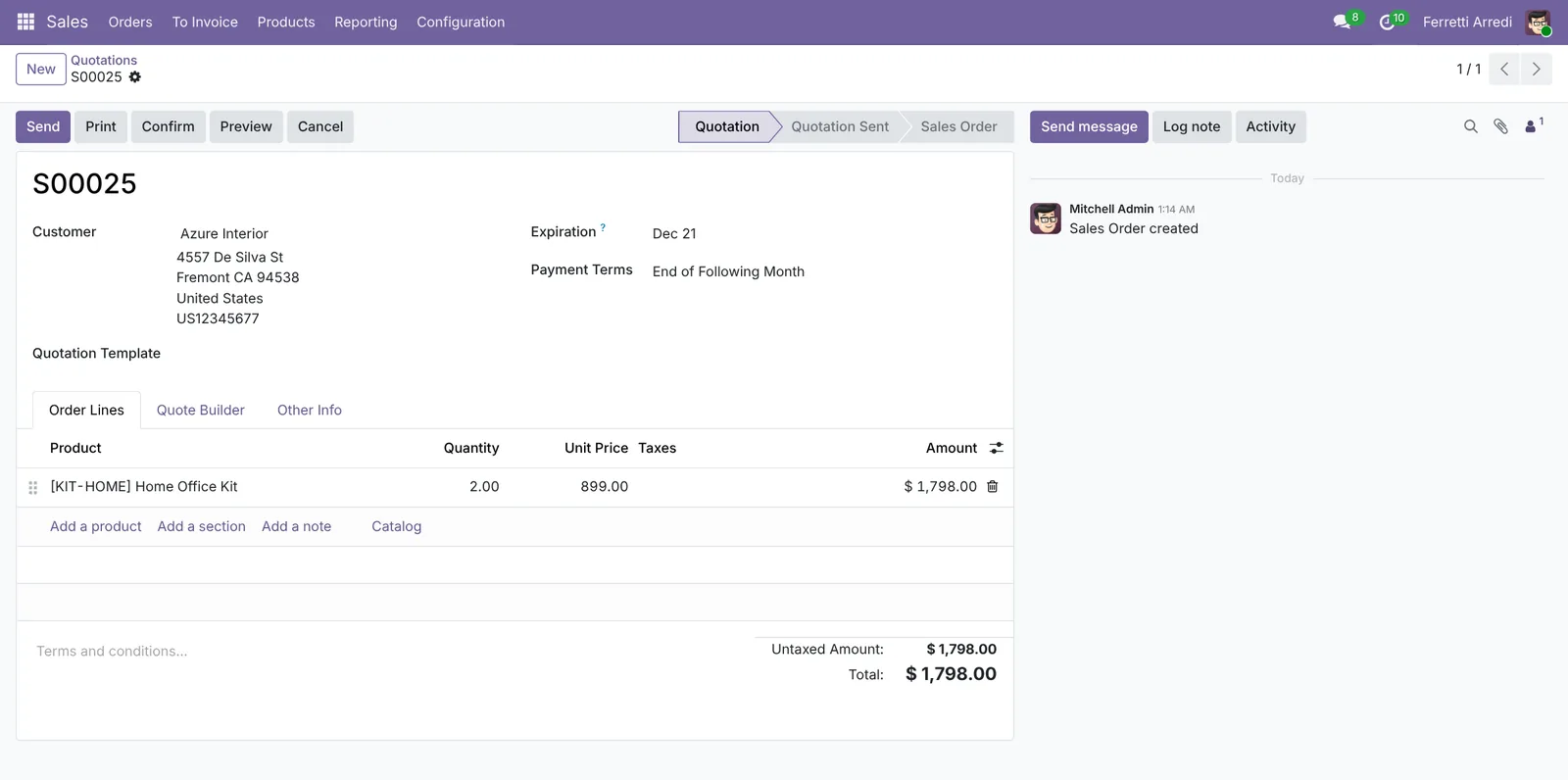 The customer buys a Home Office, not three parts.
4. The delivery ships the parts
Press Confirm and open the Delivery smart button. The delivery order lists the parts: 2 desks, 2 chairs and 2 lamps, each marked with the kit it belongs to. The desks and chairs are Available; the lamps are Not Available: one in stock for two kits.
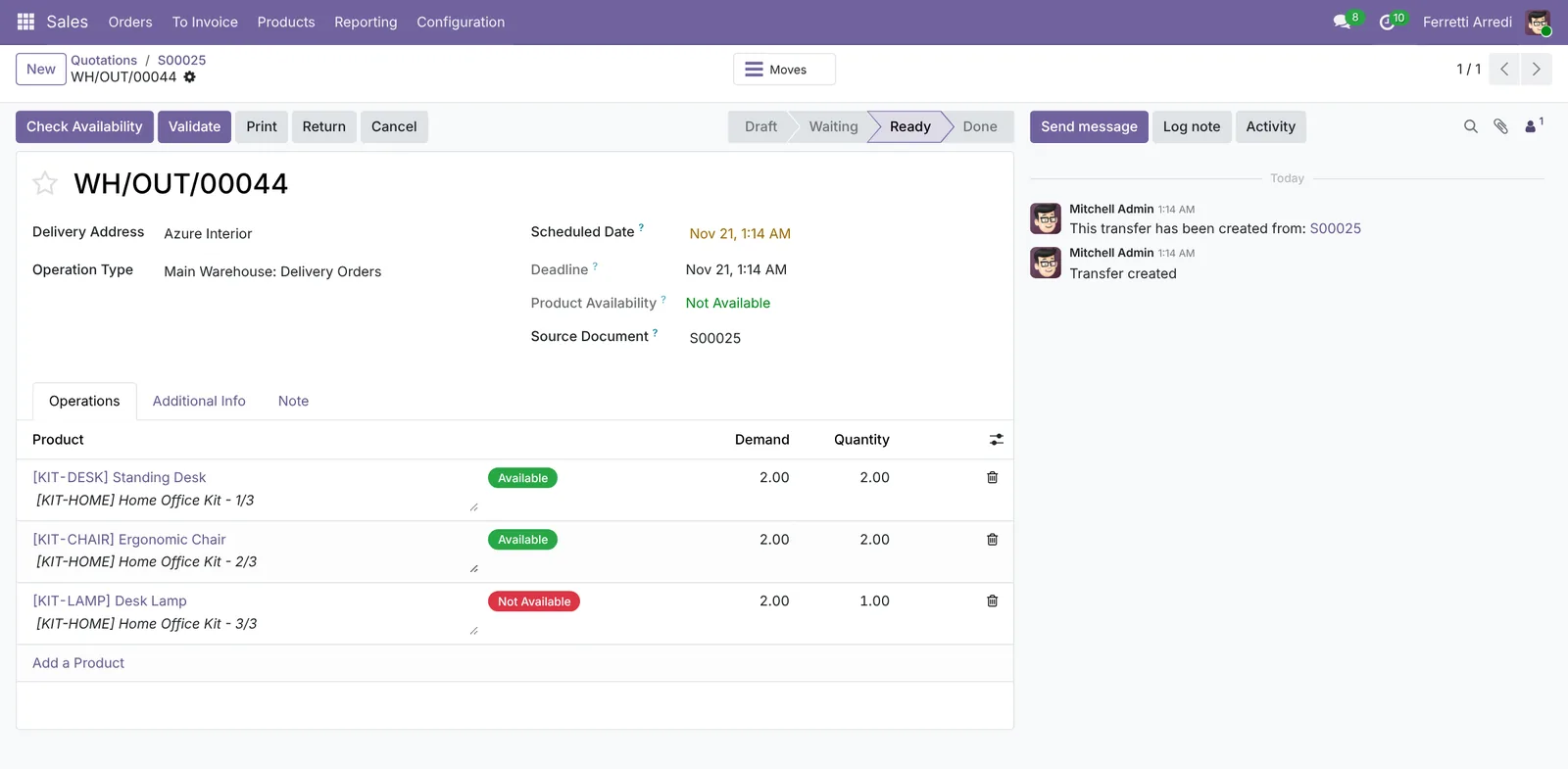 The warehouse picks parts; the missing one is visible at once.
Ship what’s ready with a backorder for the rest, or wait for the lamps: the choice is the same as for any delivery.
Common mistakes
- Making the kit a normal product with its own stock. Then it can be “in stock” while a part is missing. Let the Kit bill of materials work it out.
- Forgetting the Manufacturing app. Without it the BoM Type field has no Kit option.
- Reading only the order. The quotation doesn’t warn that one part is short: check the kit’s quantity or the delivery before promising a date.
- Pricing the kit at zero. The customer pays the kit’s Sales Price; the parts’ prices aren’t added up.
Kits with AI: ask your AI assistant through MCP
With the Hawklify MCP server, Claude, ChatGPT and other assistants work in your Odoo as you, with your permissions. Odoo splits a kit into parts, but on the quotation nobody sees which part is short, when it arrives, or which other kit could ship instead. An assistant reads the bill of materials, the stock and the incoming orders together.
Next to the quotation, in the browser. Smart mode is on: the assistant checks every part of the kit and asks once before it changes the order.
Only one. Each Home Office Kit is a Standing Desk, an Ergonomic Chair and a Desk Lamp: you have 10 desks and 12 chairs, but 1 Desk Lamp.
The next lamps are 20 on P00013 from Wood Corner, arriving in 18 days: too late.
The Home Office Kit LED ($919) has the LED Desk Lamp instead, and there are 15 in stock. With 1 Home Office Kit and 3 LED kits all four ship this week, for $60 more. Change the quotation?
Done: S00025 now has 1 Home Office Kit and 3 Home Office Kit LED, $3,656 before tax.
Tell Azure the three LED lamps are the newer model; if they want the classic lamp on all four, the last three can follow when P00013 arrives.
A kit page for the sales team. The assistant builds a small app (an artifact) on Odoo’s live data: each kit, how many can ship today and the part that limits it.
Here it is, live from Odoo. Odoo shows a kit's stock only as its parts, so the page does the sum: for each kit, the part that runs out first.
The desks are shared by both office kits, so selling one kit lowers the other. The buttons create a request for quotation to the usual vendor.
Kits we can ship
3 kits · parts in WH/Stock · live from Odoo
Activity
Order creates a request for quotation to the part's vendor; Order lamps sooner posts a message on P00013.
Versions we tested
| Version | Result |
|---|---|
| Odoo 16 | Same steps. The kit is a Storable Product. The delivery shows a Kit column next to the parts. |
| Odoo 17 | Same as 16. |
| Odoo 18 | Same steps; the kit is Goods with Track Inventory. The delivery shows the Kit column. |
| Odoo 19 | As in this guide. The screenshots come from Odoo 19. The kit’s name is written under each part. |
| Odoo 20 | Same steps and screens as 19. New on the quotations opens the quotation templates: pick the first for an empty one. |
Frequently asked questions
Do I need the Manufacturing app for kits?
Yes: the Kit type of bill of materials comes with it. You don't have to make anything with it: a kit is never produced, it's split into its parts when it moves.
Why does the kit show 1 on hand when I never received any?
Odoo works out a kit's quantity from its parts: as many kits as the scarcest part allows. Here one Desk Lamp means one kit.
What price do customers pay?
The kit's own Sales Price, here $899, not the sum of the parts. The parts' costs make the kit's cost, so you see the margin on the order.
Can a kit contain another kit?
Yes. A kit inside a kit is split too, down to the parts you really stock.
Questa guida è disponibile anche in italiano: Kit in Odoo: vendi un insieme, spedisci i pezzi
Related Odoo guides
 ManufacturingBills of materials and manufacturing orders in OdooMake products in Odoo: create a bill of materials, plan a manufacturing order, check the components, produce and see the stock moves. Community and Enterprise.
 InventoryDeliveries and backorders in Odoo: ship what you haveShip part of an order in Odoo when the rest is not in stock: validate the partial delivery, keep a backorder, set a default per operation type. Community and Enterprise.
 SalesProduct Variants in Odoo: one product, many versionsSet up product variants in Odoo: attributes and values, a product with nine variants, an extra price for one finish, and the variant list.