Calls for tenders in Odoo: compare vendor quotes
Ask several vendors for the same goods in Odoo, compare prices and delivery dates line by line, confirm the best quote and cancel the rest. Community and Enterprise.
- Community and Enterprise
- 4 min read
- Odoo + AI tutorial
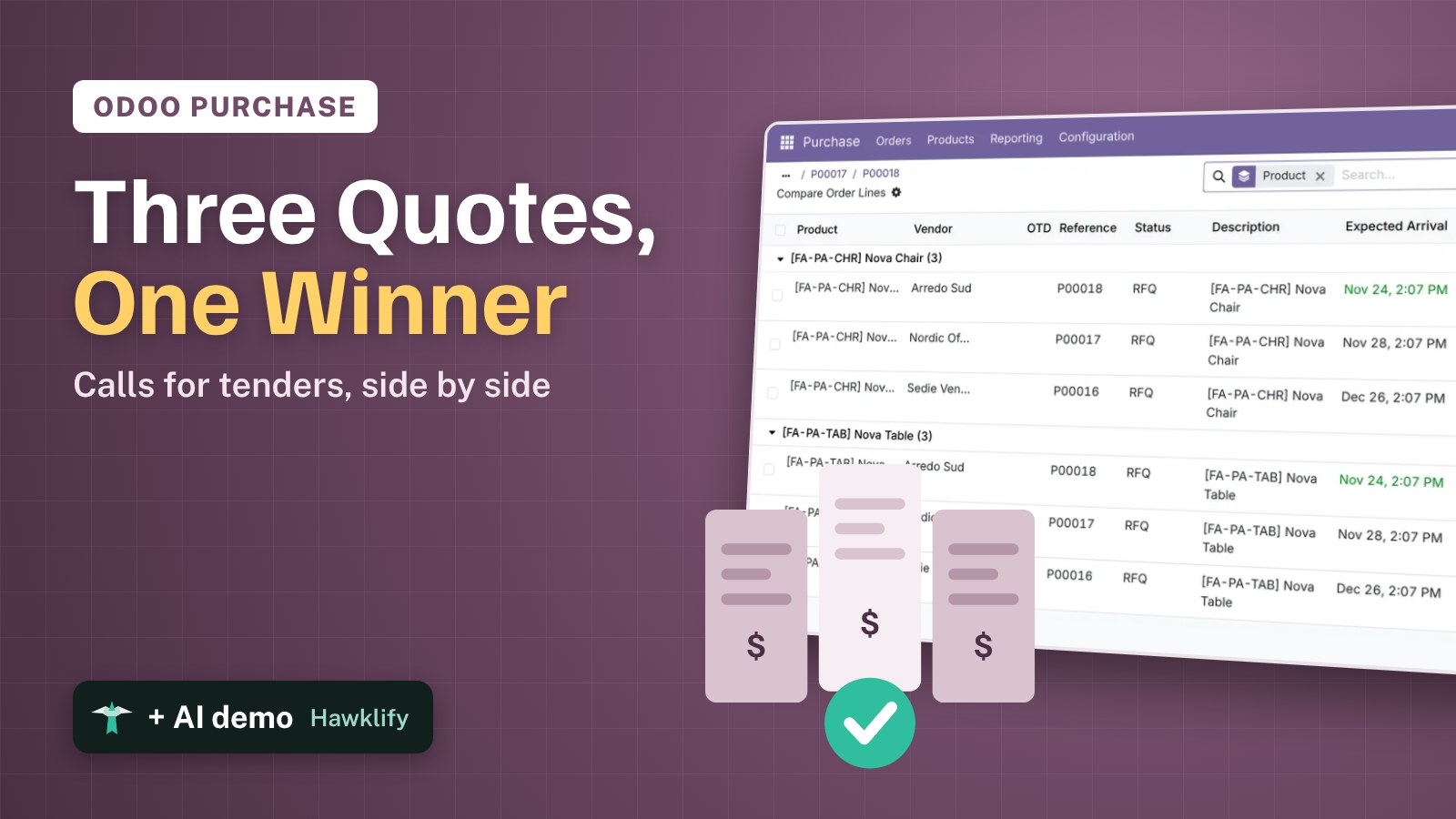
You need 40 chairs and 10 tables for a showroom, and three vendors could deliver them. Each one answers with its own price and its own lead time. In Odoo, the requests for quotation can be linked as alternatives of each other: one screen compares every line, you pick the best, and Odoo cancels the rest. This guide turns the feature on, sends the first request, adds two alternatives, compares them and confirms the winner.
It works the same in Community and Enterprise. The versions we tested are listed at the end.
This guide is also an AI tutorial. At the end, an AI assistant connected to Odoo reads the vendors' PDF quotes, finds the minimum order hidden in the cheapest one and confirms the right vendor, then asks a vendor to drop its minimum, from the comparison screen.See it in action ↓Before you start
- The Purchase app installed.
- The products, here Nova Chair and Nova Table, and three vendors: Sedie Venete, Nordic Office and Arredo Sud.
- An Odoo user with the Purchase / Administrator access right for the setting.
1. Turn on purchase agreements
Open Purchase → Configuration → Settings. Tick Purchase Agreements, then Purchase Alternatives under it, and save.
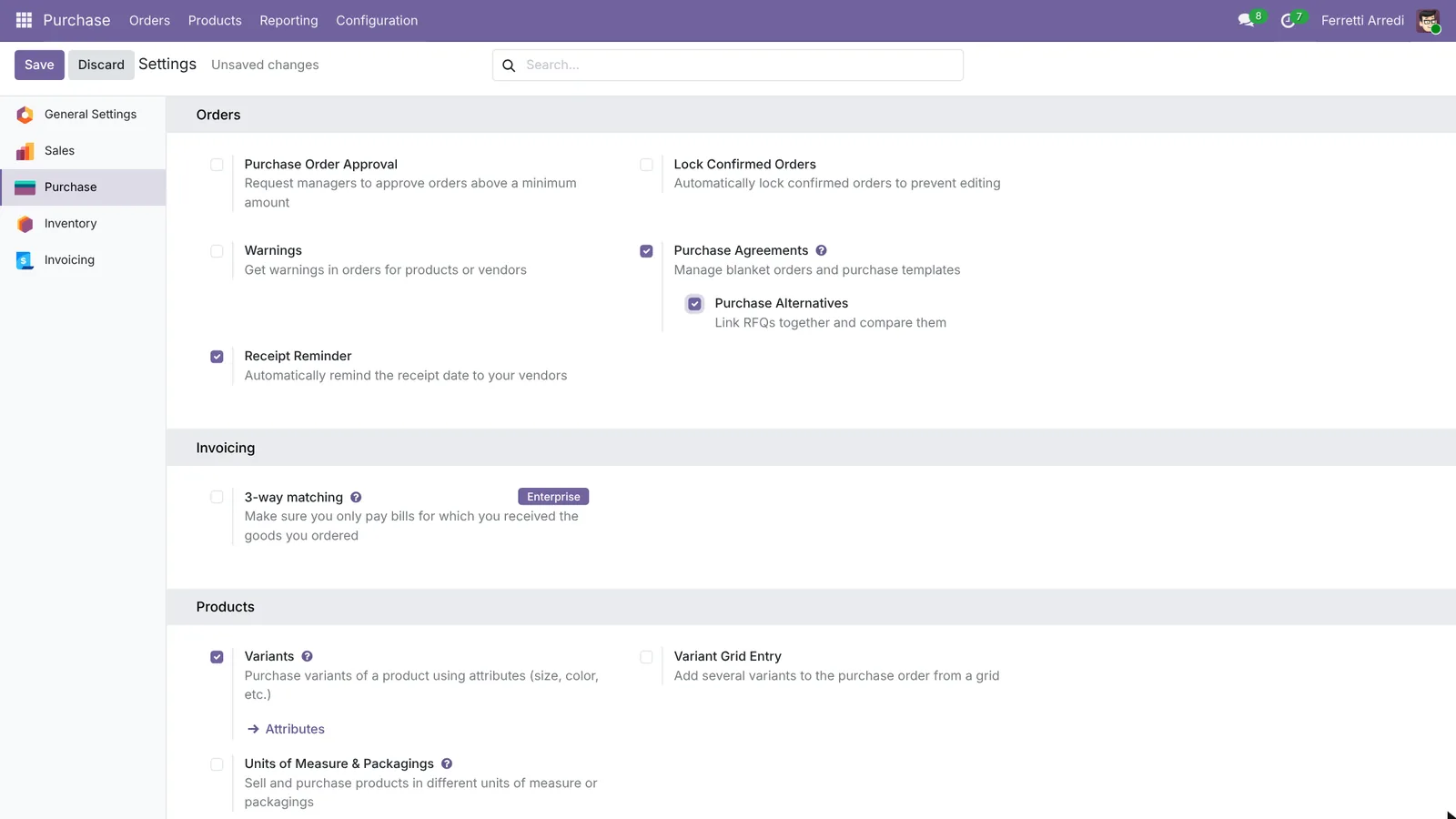 Alternatives link requests for quotation together.
2. The first request for quotation
Open Purchase → Orders → Requests for Quotation and press New. Vendor: Sedie Venete. Add 40 Nova Chairs and 10 Nova Tables, with the vendor’s prices. Save.
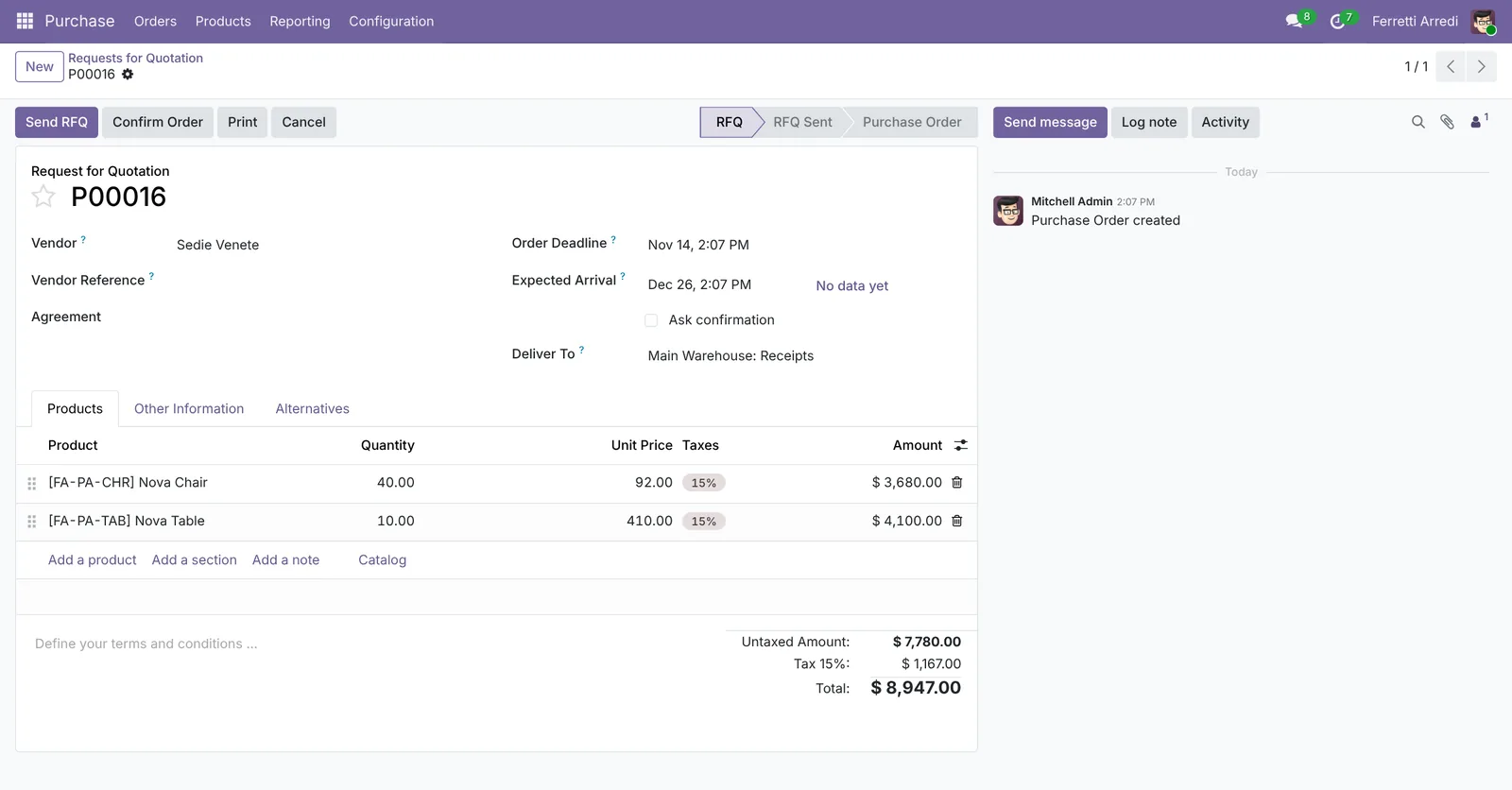 The first vendor’s quote: $7,780.
3. Ask the other vendors
Open the Alternatives tab and press Create Alternative. Pick Nordic Office, keep Copy Products ticked, and press Create Alternative. Odoo copies the lines into a new request for that vendor.
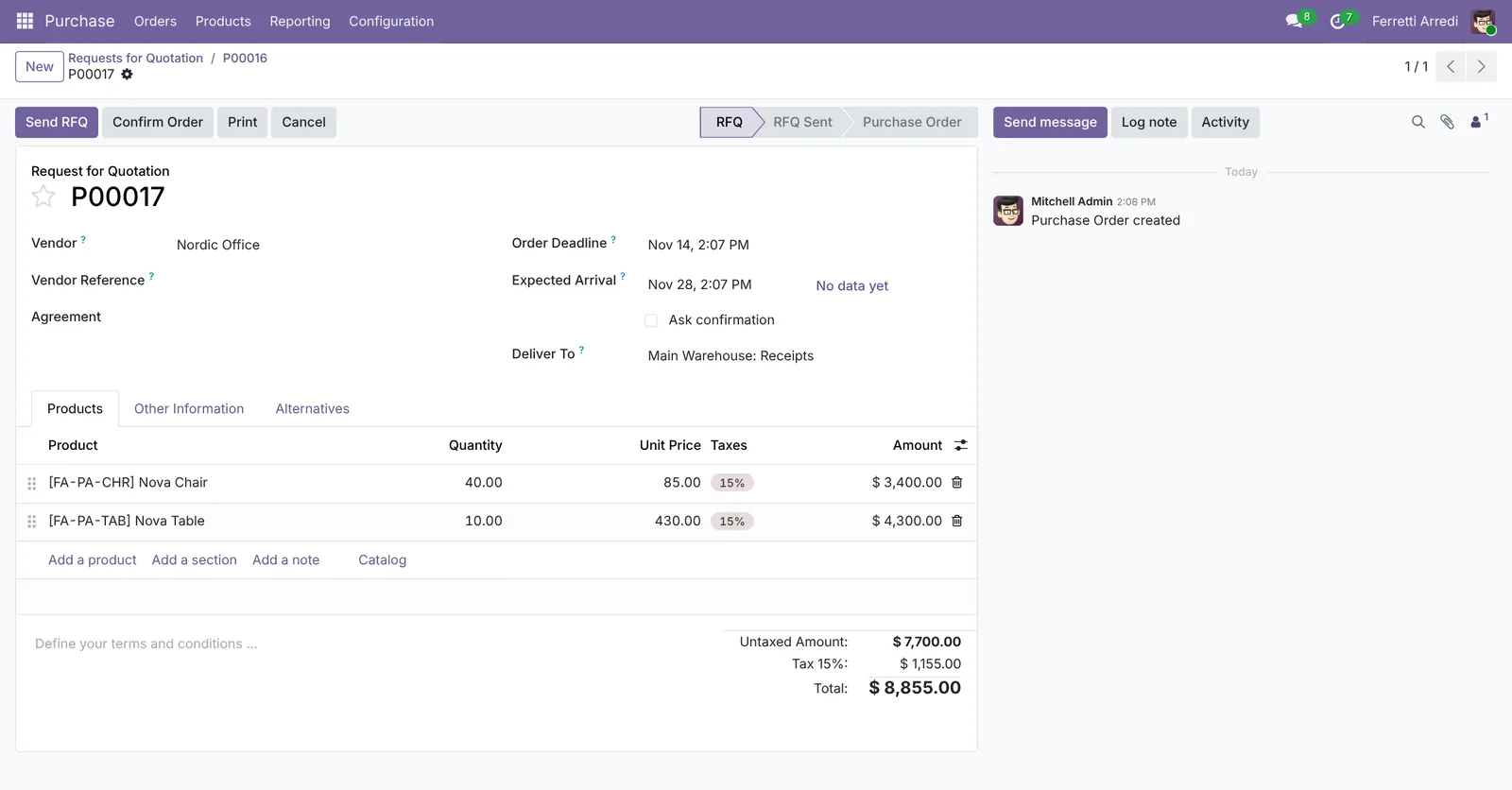 Same lines, another vendor.
Type the vendor’s prices, then do the same for Arredo Sud. The Alternatives tab now lists the three requests, with their totals and expected arrival dates.
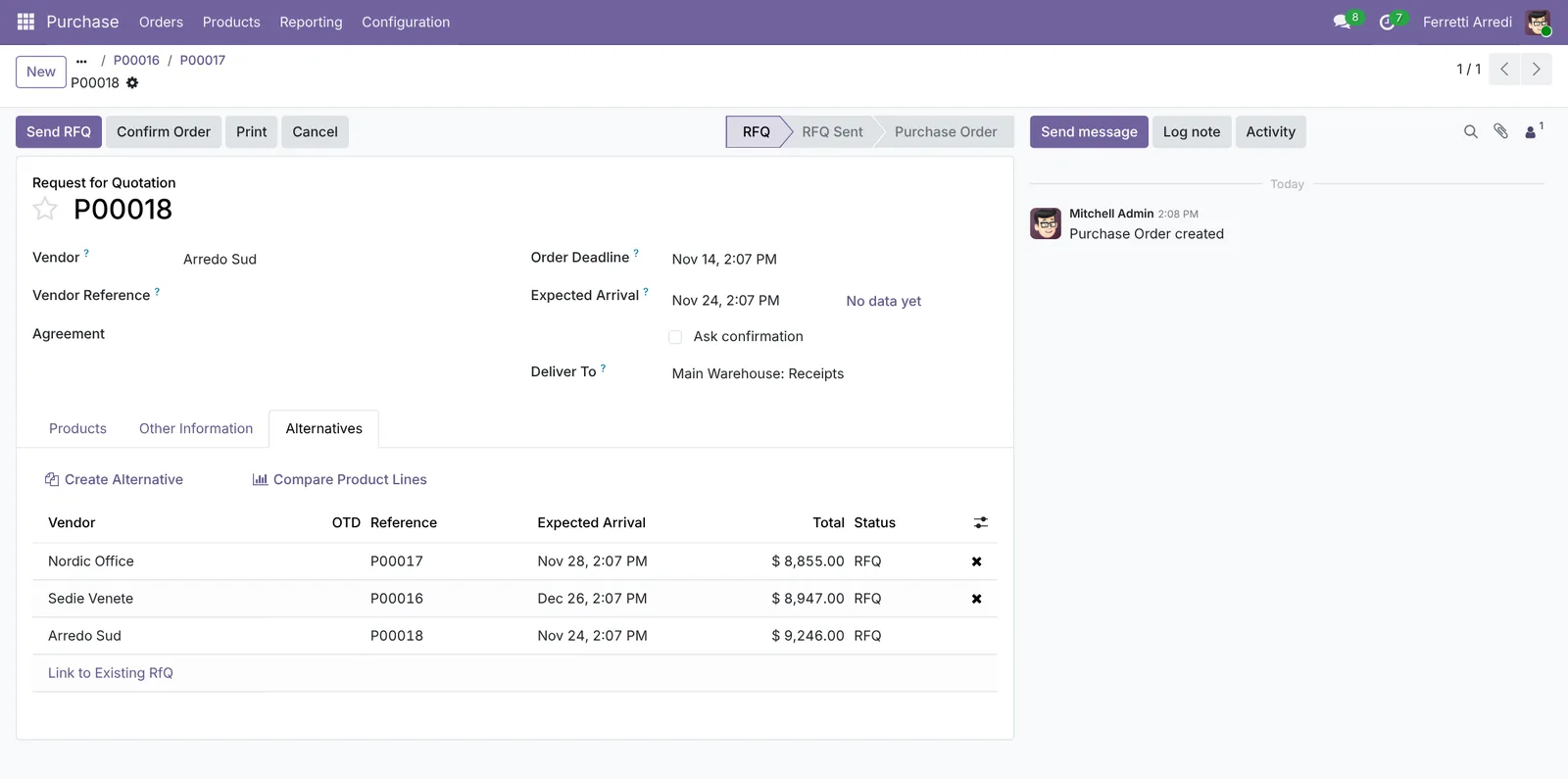 Three quotes for the same goods.
4. Compare the quotes
Press Compare Product Lines. Each product shows the line of every vendor: unit price, total and expected arrival. Odoo highlights the best price and the earliest date in green.
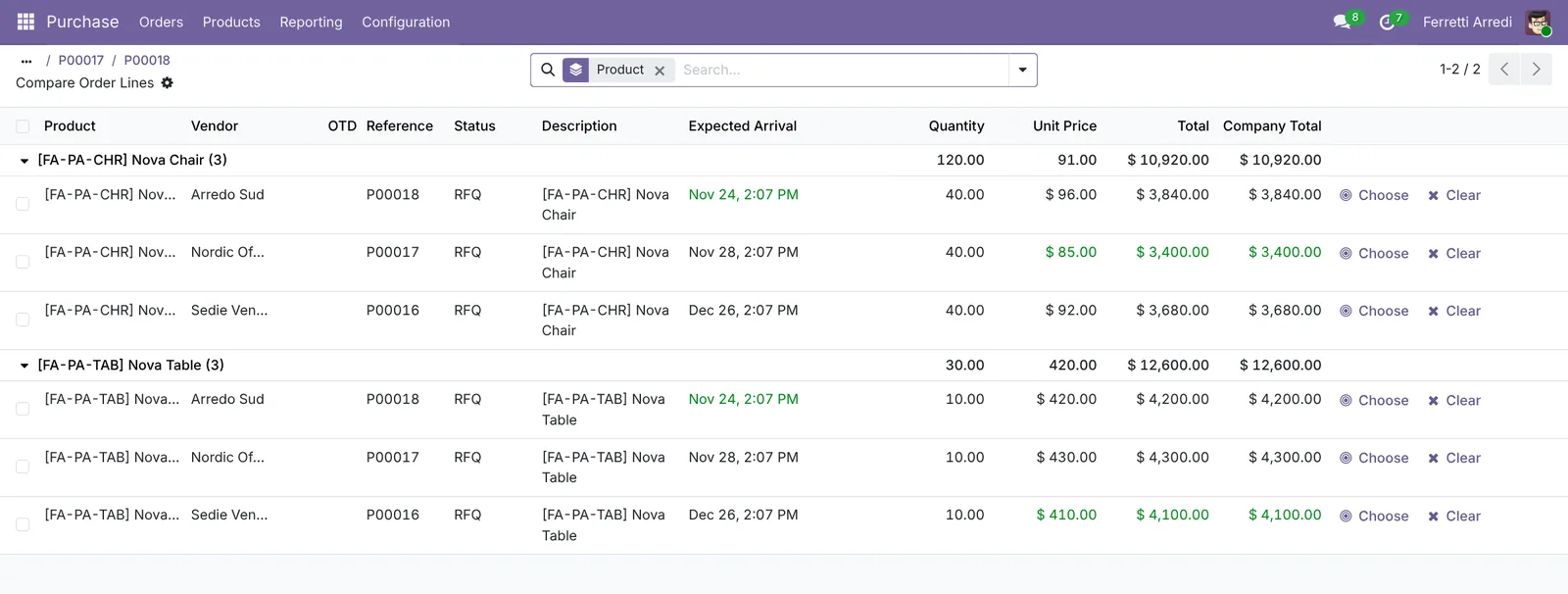 Cheapest is not always on time.
Here Nordic Office is the cheapest on paper, Sedie Venete arrives on December 26, too late for a December 1 opening, and Arredo Sud is on time.
5. Confirm the best and cancel the rest
Open Arredo Sud’s request and press Confirm Order. Odoo asks what to do with the two other requests.
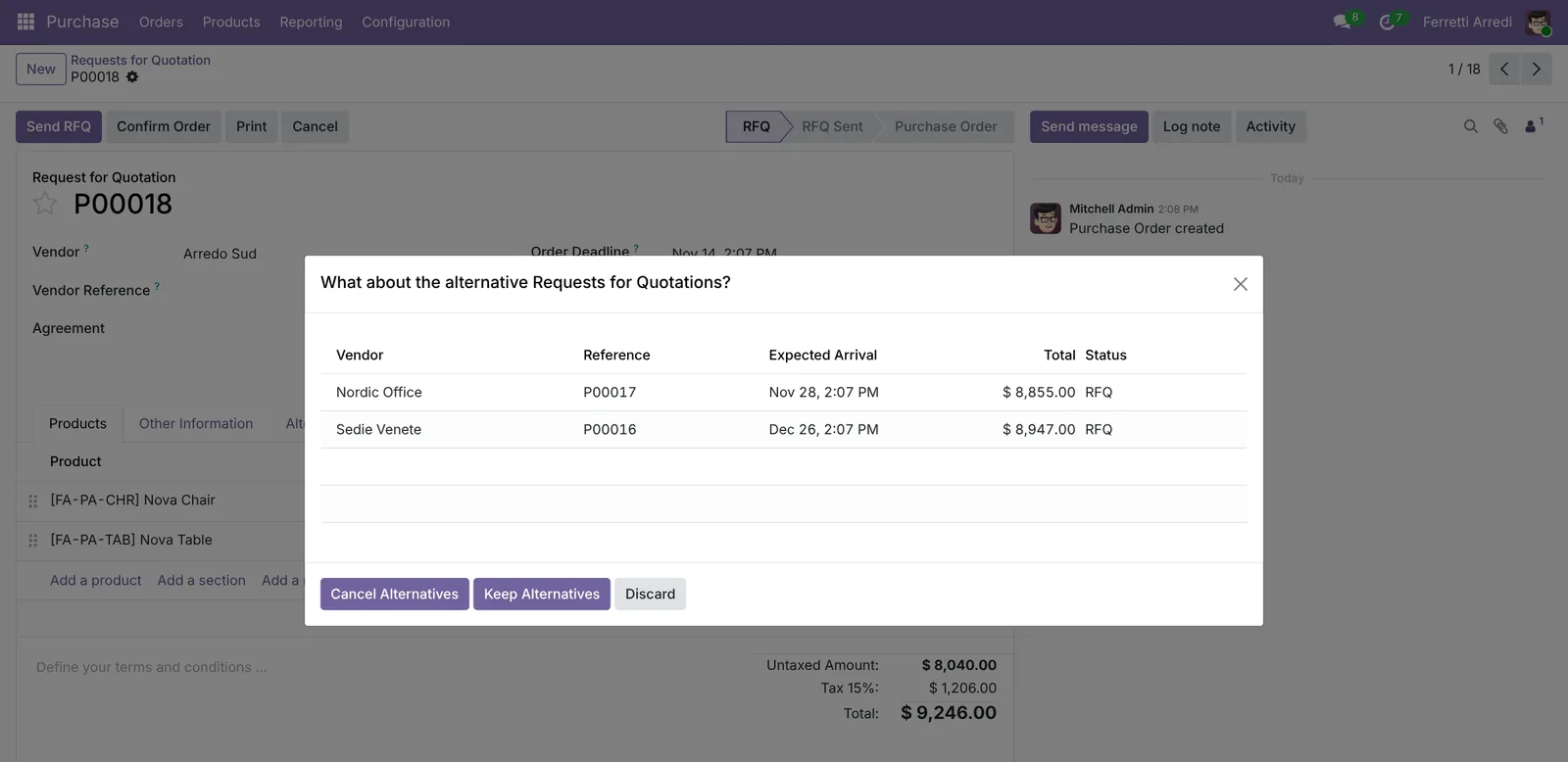 Cancel them, or keep them open.
Press Cancel Alternatives. Arredo Sud is now a purchase order for $8,040, and the two other requests are cancelled.
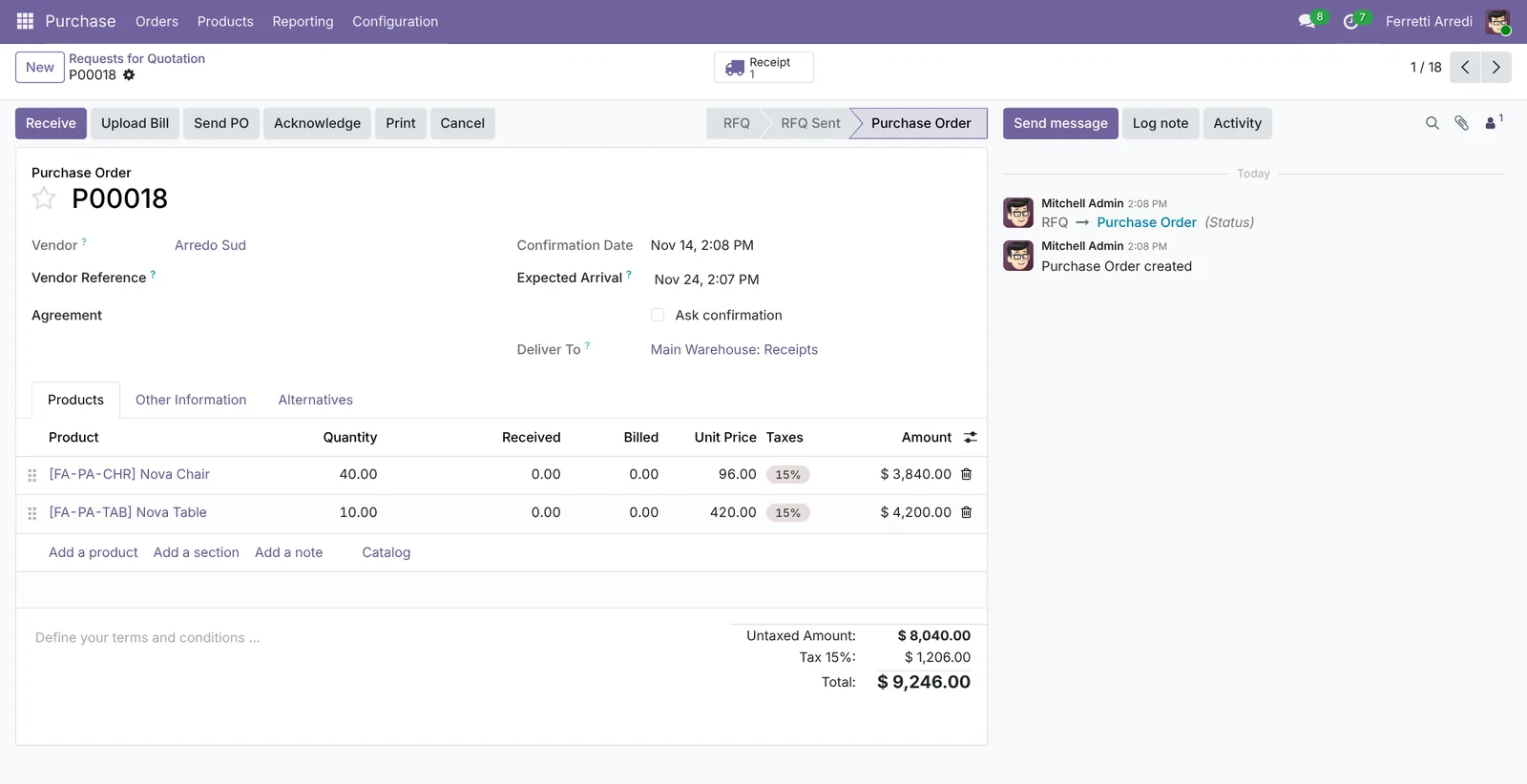 One order, two cancelled requests.
Common mistakes
- Creating separate requests. Requests made with New are not linked: create the others with Create Alternative, or link them with Link to Existing RfQ.
- Looking at the total only. Check the expected arrival in the comparison: a cheap quote that arrives late costs more.
- Forgetting the small print. A minimum order quantity or a different unit in the vendor’s answer changes the real price: put it in the request’s lines.
- Keeping old alternatives open. They stay in the list of requests and confuse the buyers. Cancel them when you confirm.
Calls for tenders with AI: ask your AI assistant through MCP
With the Hawklify MCP server, Claude, ChatGPT and other assistants work in your Odoo as you, with your permissions. Vendors answer a call for tenders with PDFs, and the catch is often in the small print: a minimum order, a delivery date, a surcharge. The assistant reads every PDF against what you need and the date you need it by, and because confirming cancels the other quotes, it asks once. Smart mode is on here.
On paper Nordic Office is the cheapest, $7,700. But its PDF says minimum order 60 chairs: you need 40, so it really costs $9,400.
P00016Sedie Venete: $7,780, arrives December 26, too late.P00017Nordic Office: $9,400 with the minimum, arrives November 28.P00018Arredo Sud: $8,040, arrives November 24, no minimum.
Arredo Sud is on time and the cheapest for what you need.
Confirming P00018 cancels the two other quotes. Shall I go ahead?
Done. P00018 from Arredo Sud is a purchase order: 40 Nova Chairs and 10 Nova Tables, $8,040.00, expected November 24.
The quotes of Sedie Venete and Nordic Office are cancelled.
To read a PDF, the assistant needs the text Odoo stores when the file is uploaded. Install the Attachments List and Document Indexation app (attachment_indexation) if it is missing.
On the comparison screen. In a side panel of the browser, the assistant starts from the lines you are looking at. It checks whether a split between vendors would pay off, and writes to the vendor whose minimum is in the way.
No split beats Arredo Sud today:
- Chairs: Nordic Office is $85, but with its 60-chair minimum 40 chairs cost $5,100. Arredo Sud: $3,840.
- Tables: Sedie Venete is the cheapest, but arrives December 26. Arredo Sud: $4,200, Nordic Office $4,300.
If Nordic Office dropped the minimum, its chairs would cost $3,400, $440 less. Shall I ask them, with a reply by Thursday?
Done. Nordic Office got an email from P00017 asking whether they can deliver 40 chairs without the minimum, by November 28. You have a to-do on Thursday to decide.
Versions we tested
| Version | Result |
|---|---|
| Odoo 16 | Same steps. Purchase Agreements alone turns the alternatives on; buttons are in capitals. |
| Odoo 17 | Like 16. |
| Odoo 18 | As in this guide: tick Purchase Agreements, then Purchase Alternatives. |
| Odoo 19 | As in this guide. The screenshots come from Odoo 19. |
| Odoo 20 | Same steps. Purchase Alternative is a setting of its own, next to Purchase Agreements. |
Frequently asked questions
Can I take the chairs from one vendor and the tables from another?
Yes. In Compare Product Lines, press Choose on the best line of each product. Odoo moves the quantities to that vendor's request and sets them to zero on the others.
What happens to the other requests when I confirm one?
Odoo asks. Cancel Alternatives cancels them, Keep Alternatives leaves them open, for example when you still want a second delivery from another vendor.
Do I need Odoo Enterprise?
No. Purchase agreements and alternatives are in Community. Only 3-way matching, in the same settings page, is Enterprise.
Where do the vendors' prices come from?
From the vendor pricelists on the product (Purchase tab), if you have them. Otherwise type the prices from the vendors' answers into each request.
Questa guida è disponibile anche in italiano: Gare d'appalto Odoo: confronta le offerte dei fornitori
Related Odoo guides
 PurchaseVendor bills in Odoo: pay only what you receivedOrder from a vendor in Odoo, receive part of the goods, and bill exactly what arrived, with the control policy on received quantities. Community and Enterprise.
 InventoryReordering rules in Odoo: restock before you run outSet min/max reordering rules in Odoo so it orders from your vendor before stock runs out, then use the Replenishment list to order now. Community and Enterprise.
 InventoryLanded costs in Odoo: freight and duties in product costAdd freight, duties and customs to product cost in Odoo with landed costs: the setting, the costing method, the carrier's bill and the split. Community and Enterprise.